News & Article Reader App Store Screenshot Templates
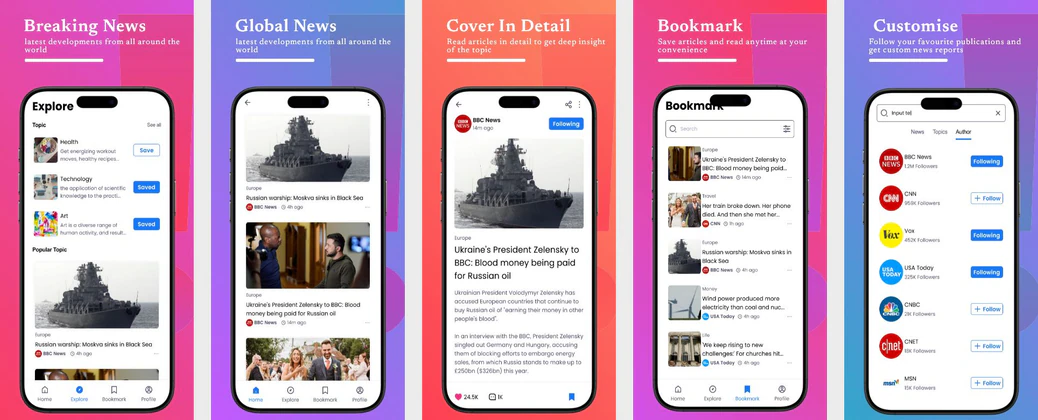
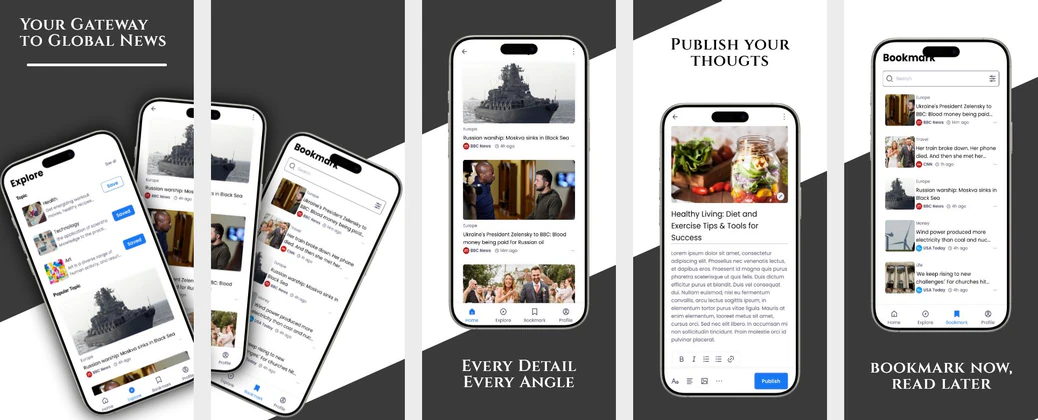
Present timely reporting and personalized relevance with clean, editorial storefront visuals.
Showcase daily feeds, breaking news alerts, and offline reading options. Present content in structured, highly readable, editorial layouts.


 App Store Screenshot Templates

 Play Store Screenshot Templates
ASO Guide: Formatting Content for News & Article Apps
News screenshots should prioritize readability and relevance from the first frame. Start with personalized topic feeds, then show breaking alerts, article depth, and optional listen mode. Users comparing news apps care about speed and clarity, so avoid dense visual effects that compete with content structure. Keep typography clean and headlines concise to preserve editorial confidence.
Search-driven discovery makes screenshot relevance critical in this category. Apple Search Ads reports around 65% of downloads originate from search, so the first two frames should align with clear user intent like local updates, market news, or trusted briefings. Use concrete value lines and visible in-app proof. Nakxi helps editorial teams iterate message angles quickly while maintaining consistent visual hierarchy across iOS and Android listing assets.
News listings require absolute readability. Avoid complex graphics; instead, show well-formatted article grids, personalized topic feeds, and breaking news banners. Use clean typography and comfortable reading layouts.
Highlight options like text-to-speech audio reader, dark mode toggle, and category customization with text like 'Listen to Articles' or 'Get Breaking News Alerts'.
News teams commonly optimize in Nakxi by keeping a fixed editorial layout and rotating intent-led modules for local, global, or category-specific content campaigns.
Frequently Asked Questions
What is the best way to display breaking news alerts?
Show a phone lock screen showing a push notification banner ('Breaking News: Deep Space Discovery!') to highlight real-time alert features.
Should news screenshots use light or dark layouts?
A mix of both works well. Show a clean light-mode article reader for day reading, and a dark-mode feed view for night scrolling.
What should a news app show first in screenshots?
Personalized relevance is usually the strongest opener. Users want confidence that they will see stories matching their interests quickly. Follow with alert reliability and reading experience. This sequence aligns with real discovery behavior.
Should news listings include audio reading features?
Yes, if listen mode is a meaningful usage path. One focused screenshot can broaden appeal to users who consume news while commuting or multitasking. Keep controls and benefit messaging simple. This adds practical differentiation without clutter.
How do I create news app screenshots with Nakxi?
Pick a news template from this page, open it in Nakxi's editor, swap in your UI captures, write outcome-led captions, and export App Store and Play Store sizes from one canvas. Most teams ship a first draft in under an hour without a design agency.
What screenshot sizes do news apps need in 2026?
Apple requires up to three iPhone display families (including 6.9-inch and 6.5-inch) per Apple's screenshot specifications. Google Play accepts 16:9 or 9:16 phone layouts between 320px and 3840px per side, as documented in Google Play listing best practices. Nakxi exports both store formats from a single design.