AI ASO · Drafts, scores, and localizes
AI App Store Optimization
AI ASO is App Store Optimization with machine-learning assistance — drafts for metadata and screenshot copy, pattern-finding in competitors and reviews, visual scoring, and localization. Nakxi is the AI App Store Optimization Platform that keeps those assists inside the listing workflow.
- Drafts, not auto-publish
- No ranking guarantees
Definition
What is AI ASO?
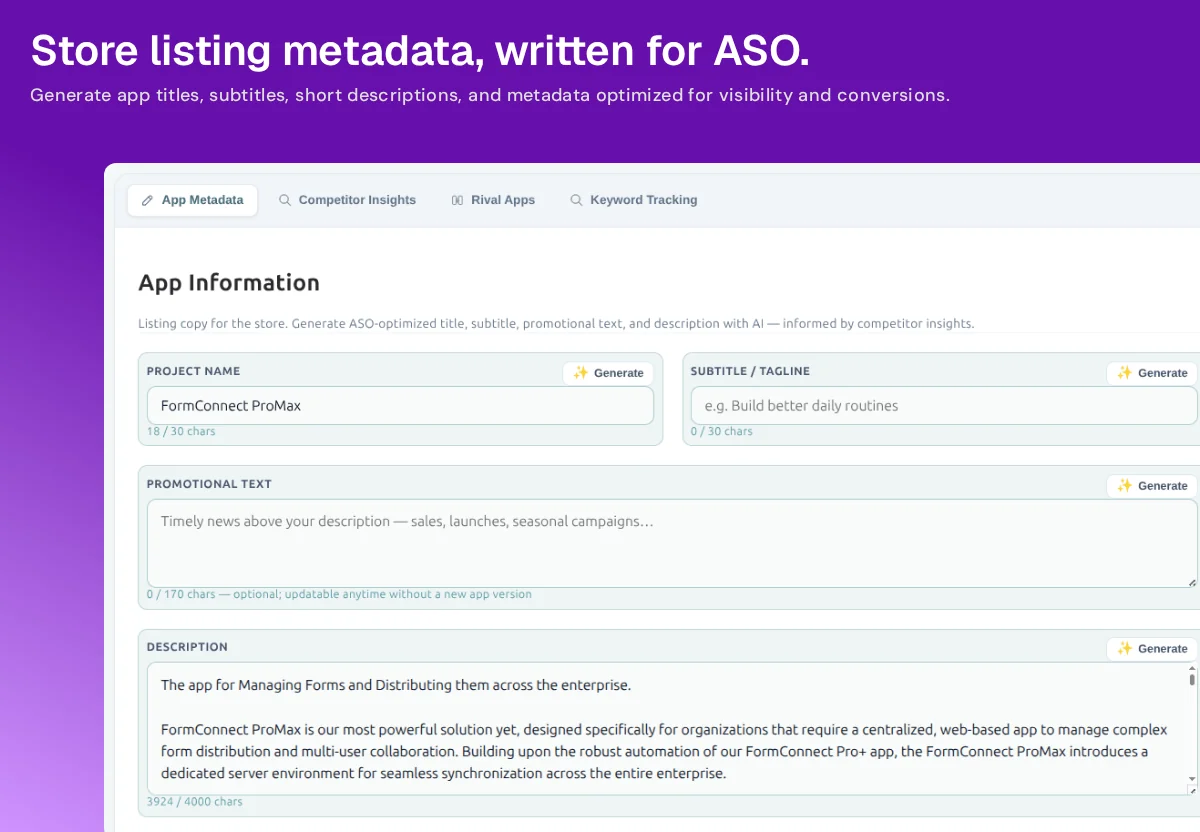
AI App Store Optimization (AI ASO) is the use of machine learning to assist ASO work: finding listing opportunities, recommending actions, drafting metadata and screenshot copy, scoring visuals, localizing, and summarizing reviews. It speeds up drafts and pattern detection. A human still reviews, edits, and publishes. It does not replace store guidelines or product quality.
“AI ASO tool” and “AI ASO platform” describe the same idea at different depths. A tool might generate a title. A platform — Nakxi’s category — connects that title to screenshots, competitor context, localization, and publishing.
How AI assists
How AI can assist App Store Optimization
-
Keyword research
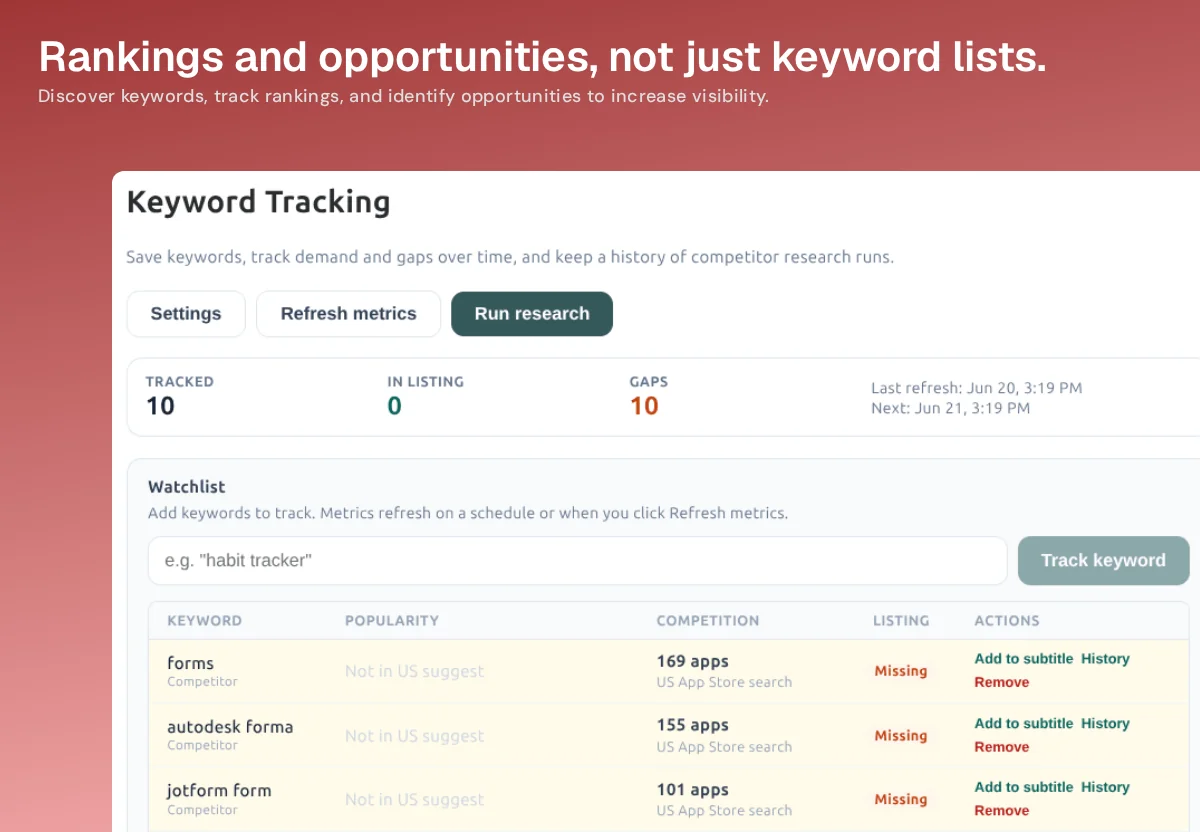
Surface competitor terms and gaps so metadata drafts start from actual listing coverage, not a blank keyword field.
-
Competitor analysis
Pull rival titles, screenshots, and keyword patterns into the same project you will redesign.
-
Metadata generation
Draft App Store and Google Play titles, subtitles, and descriptions inside store character limits.
-
Screenshot copy
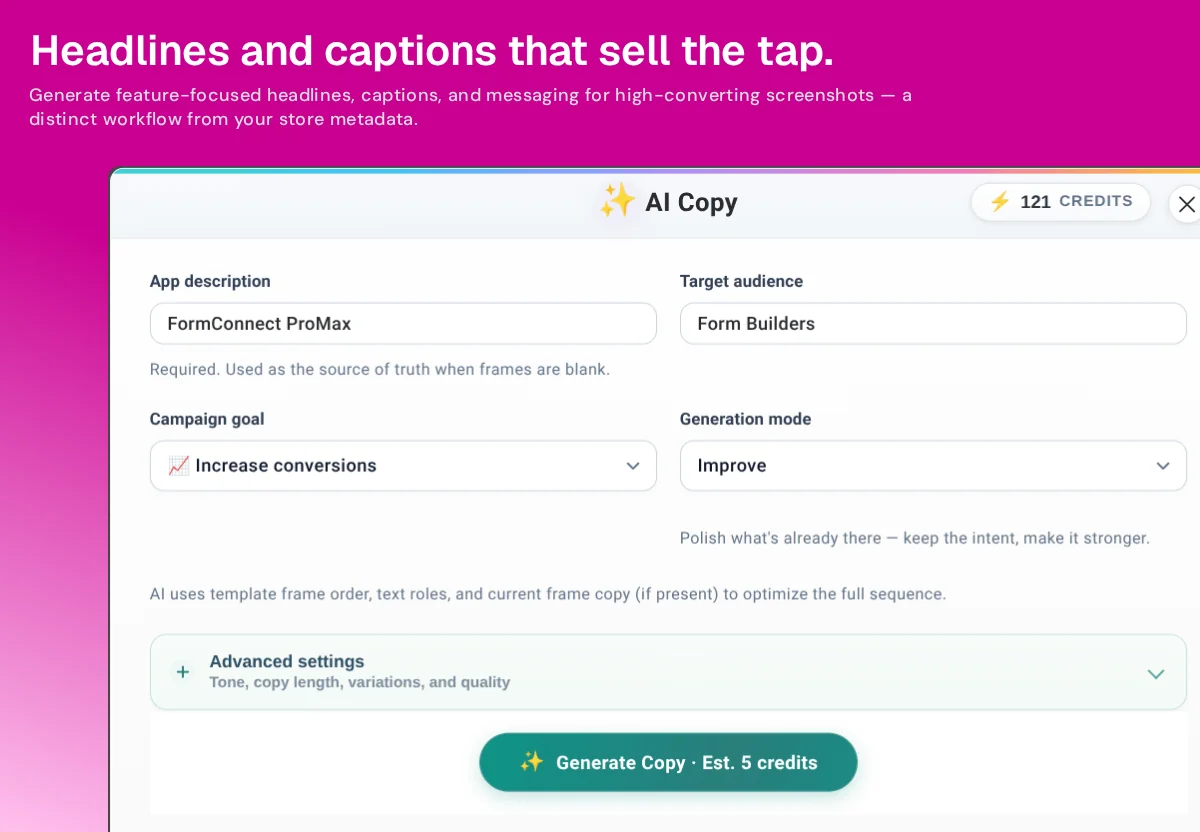
Write slide headlines and captions that match the visual hierarchy instead of pasting the description onto the image.
-
Visual optimization
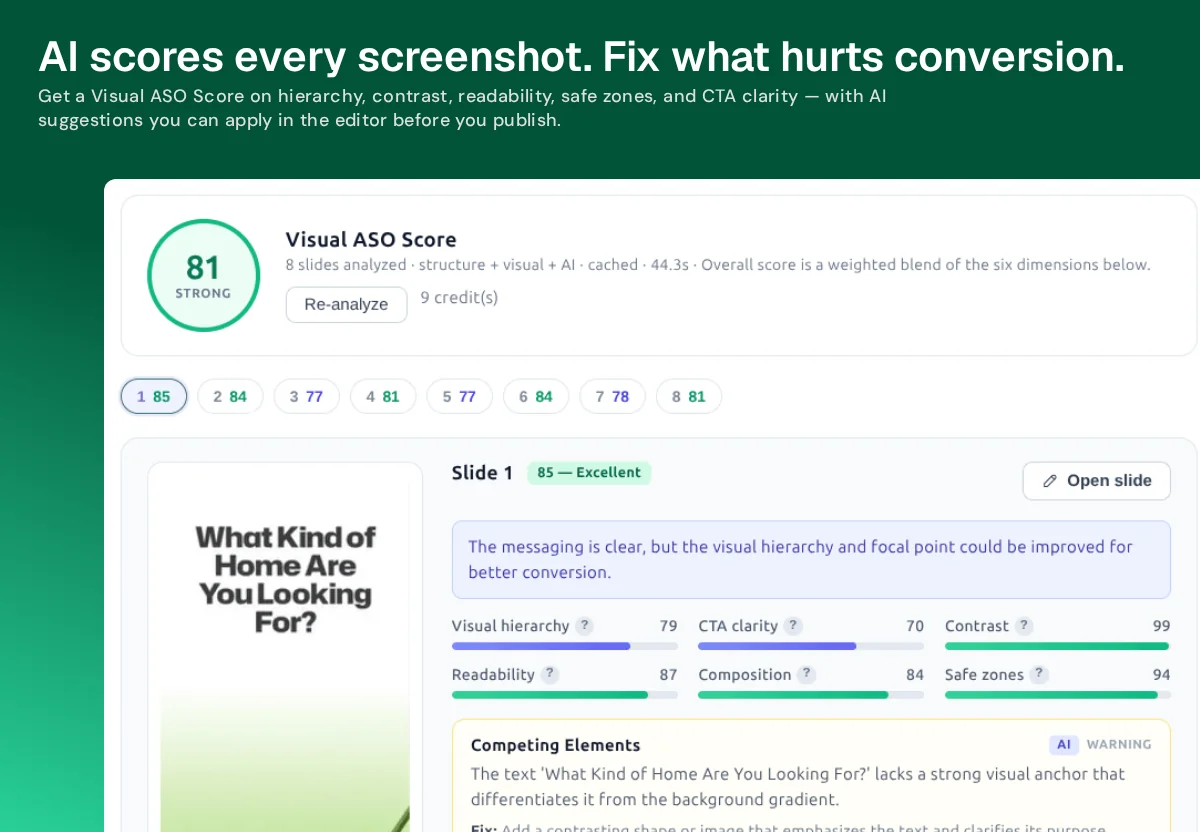
Score hierarchy, contrast, readability, and CTA clarity so weak first frames get fixed before export.
-
Localization
Adapt captions and metadata for additional storefront languages, including RTL, from one design system.
-
Review analysis
Summarize negative review themes so listing copy can answer objections the app already receives.
-
Listing optimization
Keep research, screenshots, copy, and publish in one loop instead of exporting AI text into a disconnected design file.
Human in the loop
How Nakxi uses AI in the growth loop
AI identifies opportunities, recommends a next action, and generates assets. You approve. You run Apple PPO or Play listing experiments where the stores require it. Imported results can inform the next ASO Pack. Nakxi does not publish autonomously and does not guarantee rankings or installs.
AI metadata and screenshot copy
Metadata AI drafts titles, subtitles, short descriptions, and longer descriptions with store limits in mind. Screenshot Copy AI is a separate pass for headlines on each slide — open the copy generator when you want listing text, or stay in Screenshot Studio for captions. Both are starting points, not auto-publish.
AI-assisted keyword, competitor, and review research
AI copy without research is generic. Nakxi pairs generation with competitor insights, keyword gaps, and review themes so drafts can reflect the category instead of a template slogan.
Visual optimization and listing quality
Visual ASO is still design work. AI helps by flagging hierarchy, contrast, and readability problems and by generating first-pass captions. You still choose the story, the first three frames, and whether a claim is honest. Start from the AI App Screenshot Generator or design by hand in the App Store screenshot generator or Play Store screenshot generator.
What AI ASO does not do
| AI can help | AI cannot guarantee |
|---|---|
| Faster first drafts of titles, descriptions, and captions | App Store or Play Store ranking position |
| Character-limit awareness and localization variants | Install volume or conversion-rate lifts |
| Screenshot scoring and competitor pattern-finding | Featured placement, editorial featuring, or review scores |
| Reducing formatting and sizing mistakes on export | Store approval of every claim, screenshot, or metadata line |
Treat AI output as an assistant inside an ASO workflow. Final listing quality is still your product, your claims, and your review of the assets.
Use AI inside the listing — not instead of it
Start free. Edit every draft. Publish when the listing is actually ready.
AI ASO FAQ
What AI App Store Optimization is — and what it is not.
What is AI ASO?
AI ASO (AI App Store Optimization) is the use of machine learning to assist App Store Optimization work — identifying listing opportunities, recommending actions, drafting metadata and screenshot copy, scoring visuals, localizing, and analyzing reviews. AI accelerates drafts and pattern-finding; it does not replace store rules, product quality, or human editing, and it does not publish on its own.
Does AI automatically rank my app higher?
No. AI cannot guarantee App Store or Google Play rankings, installs, or conversion rates. Stores rank apps using many signals outside any vendor’s control. Nakxi uses AI to help you produce better listing assets faster — you still review, edit, and publish.
How does AI help with ASO?
In Nakxi, AI can draft titles and descriptions within character limits, write screenshot headlines, localize copy, summarize review themes, and score screenshot hierarchy. Keyword and competitor intelligence then give those drafts context from real listings.
Is Nakxi an AI ASO tool or a screenshot generator?
Nakxi is an AI App Store Optimization Platform. Screenshot generation is a major capability inside that platform, alongside metadata, localization, competitor insights, keyword intelligence, review analysis, and publishing.
Can Nakxi localize app listings with AI?
Yes. AI Localization adapts screenshot captions and listing metadata across 40+ languages, including RTL languages such as Arabic, Hebrew, and Persian. You should still review market-specific claims before publishing.
Where should I start?
If you want the category overview, start with the App Store Optimization platform page. If you already have a store URL, use Analyze My App for a free listing check, then open Metadata AI or Screenshot Studio to act on the findings.