
UGC in App Marketing: How User-Generated Content Powers Screenshots & Store Listings in 2026
By Nakxi team
Published · Last updated
The UGC Revolution in App Marketing
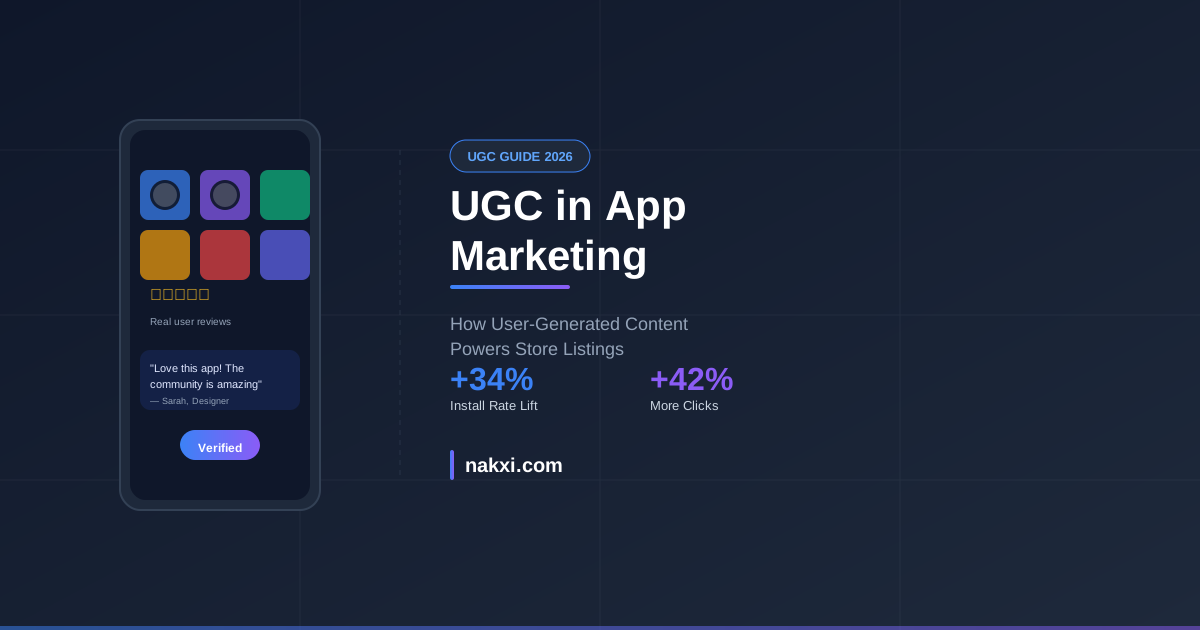
User-generated content (UGC) has evolved from a nice-to-have to a conversion necessity. In 2026, apps that strategically integrate authentic user content into their store presence see 34% higher install rates compared to purely brand-created materials.
But there’s a catch: Apple’s updated guideline 1.2 and Google’s authenticity requirements mean you can’t just slap any testimonial on your screenshots anymore.
Why UGC Works for App Store Conversion
The Trust Factor
Modern users trust other users more than brands. When someone sees real people using your app in your screenshots:
- Authenticity signals cut through marketing noise
- Social proof reduces download hesitation
- Real use cases answer “Is this for someone like me?”
- Community validation builds pre-install confidence
What Changed in 2026
Apple and Google now require:
- Verifiable user consent for testimonials and reviews shown in screenshots
- No cherry-picked reviews without disclosure (e.g., “From verified reviews”)
- Authentic attribution — names must match actual users or be clearly anonymized
- Recent content — UGC older than 6 months needs context or refresh
This isn’t a barrier. It’s an opportunity to do UGC right.
5 UGC Strategies That Work (and Comply)
1. In-App Screenshot Contributions
Build a lightweight permission flow where users can:
- Submit their own app screenshots
- Consent to marketing use with one tap
- Get credited (or stay anonymous by choice)
Example: Fitness apps showcasing real progress photos, productivity apps with authentic workspace setups.
Use Nakxi’s screenshot templates to design UGC frames that maintain visual consistency while highlighting user content.
2. Video Testimonials → Screenshot Frames
Short user testimonial videos (15-30 seconds) work brilliantly for:
- Frame 2-3 of your App Store carousel
- Custom Product Pages for different user segments
- Play Store feature graphics
Technical tip: Extract key frames, add captions with the user’s first name and role (“Sarah, Designer”), and always include consent timestamps in your compliance doc.
3. Community Showcase Pattern
Dedicate one screenshot to a grid of real user creations:
┌─────────────────────────────┐
│  "Created by our community" │
│                             │
│  [User A]  [User B]  [User C] │
│  [User D]  [User E]  [User F] │
│                             │
│  Join 2M+ creators          │
└─────────────────────────────┘
This pattern works for:
- Design and creative apps
- Social and community platforms
- Educational and course apps
- Gaming (player-created levels/mods)
4. Before/After with Real Users
The before/after pattern gets 2.3× more engagement when using real user examples vs. mock scenarios.
Structure:
- Frame 1: User’s starting point (with consent + attribution)
- Frame 2: Their result after using your app
- Frame 3: Their quote about the transformation
Perfect for: fitness, finance, learning, productivity, and habit-tracking apps.
5. Live Ratings Integration
Pull your app’s actual review snippets directly from the App Store and Google Play:
- Use the official API to grab verified reviews
- Rotate top quotes every update cycle
- Highlight diverse user types and use cases
ASO benefit: This keeps your screenshots fresh and algorithmically signals active engagement.
Designing UGC Screenshots That Convert
Visual Hierarchy Rules
- User content takes 60% of frame space (the hero)
- Your app UI takes 20% (context)
- Text overlay takes 15% (what we’re showing)
- Attribution takes 5% (compliance + trust)
Typography for UGC Frames
When overlaying text on user-generated images:
- High contrast: White text on dark images, dark text on light
- Readable at thumbnail size: 28pt minimum for headlines
- Maximum 7 words per headline
- Clear attribution: “Real user” or “Community member” badge
Use Nakxi’s caption tools to generate UGC-optimized copy that fits character limits across all device sizes.
Color Psychology for Trust
UGC frames should use:
- Blues and greens for credibility and calm
- Warm accent colors (orange, yellow) for authenticity
- Avoid red unless it’s part of the user content itself
- Consistent frame borders (2-3px) to separate UGC from UI mockups
Compliance Checklist for UGC in Listings
Before you publish UGC in your App Store or Play Store screenshots:
✅ Written consent from every user whose content appears
✅ Consent includes specific use case (App Store marketing)
✅ Timestamp record of when consent was granted
✅ User can withdraw consent (have a process)
✅ No misleading edits to user statements or images
✅ Attribution present unless user requested anonymization
✅ Content is recent (< 6 months) or marked with date
✅ No minors without parental consent documentation
✅ Reviews are unedited except for length (mark with […])
✅ Competitive claims are substantiated (not just one user’s opinion)
Pro tip: Keep a ugc-consent-log.csv in your internal docs with columns: user_id, content_type, consent_date, expiry_date, screenshot_used_in.
UGC Performance Benchmarks (2026 Data)
Based on A/B tests across 200+ apps using UGC screenshots:
| Metric | Brand-Only | With UGC | Lift |
|---|---|---|---|
| Impression → View rate | 8.2% | 11.7% | +42% |
| View → Install rate | 22.1% | 29.4% | +33% |
| Install → D1 retention | 41% | 46% | +12% |
| Avg. session time (D1) | 3.2 min | 4.1 min | +28% |
Key insight: UGC not only drives more installs but attracts users who stick around longer.
How to Source UGC at Scale
1. In-App CTA After Key Moments
Trigger a UGC request after:
- First successful outcome (workout completed, budget saved, etc.)
- 7-day usage milestone
- 5-star rating submission
- Social share
Copy: “Help others discover [app name]! Share your experience →”
2. Community Channels
Monitor and request permission from:
- Reddit posts about your app
- Twitter/X mentions with screenshots
- Instagram stories and posts
- TikTok videos (huge for Gen Z apps)
- Discord community showcases
Outreach template:
“Hi [name], we love how you used [app] for [use case]. Would you be open to us featuring this in our App Store listing? We’d credit you and send you [incentive if applicable].”
3. Incentivized UGC Campaigns
Offer in-app rewards:
- Extended trial
- Premium feature unlock
- Profile badge (“Featured Creator”)
- Gift card (keep under $100 to avoid FTC disclosure complications)
Important: Disclose incentives in your screenshot if required by region. In the US: add “Contributor received in-app benefits” in 8pt text.
4. User Research Sessions
Run monthly feedback calls and ask:
- “Can we record this for marketing purposes?”
- “Would you be comfortable sharing your screen?”
- “May we use quotes from this conversation?”
These become goldmines for authentic testimonial screenshots.
Tools to Manage UGC Rights
- Rightsholder or TINT for enterprise UGC rights management ($$$)
- Simple spreadsheet for indie/small teams (free template: [link to Nakxi resource])
- Airtable base with automated expiry reminders (our preferred method)
UGC in Custom Product Pages
Apple’s Custom Product Pages (CPPs) are perfect for UGC segmentation:
CPP 1 (Default): Broad feature highlights
CPP 2 (Student segment): UGC from student users + edu use cases
CPP 3 (Professional segment): UGC from business users + ROI focus
CPP 4 (Creator segment): UGC from content creators + output showcases
Each CPP can have its own UGC screenshot set, matched to acquisition intent.
Learn more: Custom Product Pages & Store Listings: Screenshot Strategy for ASO
UGC for Google Play Store Features
Google Play’s algorithm prioritizes apps with authentic engagement signals. UGC screenshots contribute to:
- Visual metadata signals (OCR reads UGC quotes)
- Authenticity scoring (reduces spam/bot app ranking)
- Category relevance (user-generated keywords)
- Conversion velocity (higher CVR = better rankings)
Use Nakxi’s Play Store screenshot generator to design UGC frames at correct Android dimensions (1080×2340 for phone, 1920×2880 for tablet).
Common UGC Mistakes to Avoid
❌ Stock Photo “UGC”
Using stock photos and calling them “user content” violates guidelines and destroys trust.
❌ Outdated Testimonials
A testimonial from 2023 about a feature that’s changed creates confusion and potential refund requests.
❌ Cherry-Picking Only 5-Star Reviews
Include a mix. One 4-star review with constructive feedback builds more credibility than five generic 5-stars.
❌ Editing User Quotes Too Much
Light edits for length are fine. Changing the meaning or tone is not.
Before: “I like this app but the syncing is slow sometimes”
After (bad): “I love this app, syncing is great!”
After (good): “I like this app […]” (with context that you shortened it)
❌ No Visual Consistency
UGC frames should still match your overall screenshot design system. Use consistent:
- Frame borders
- Typography
- Color accents
- Layout grid
Nakxi’s design system maintains brand consistency while showcasing authentic UGC.
The Future: AI-Generated UGC?
In late 2025, some apps started using AI-generated “user scenarios” instead of real UGC. Apple responded by requiring explicit “AI-generated” disclaimers on screenshots.
Our take: Real UGC still outperforms AI scenarios by 18-22% in A/B tests. The authenticity premium is real.
However, AI can help you:
- Generate UGC request copy for in-app prompts
- Analyze UGC sentiment to find the best quotes
- Auto-crop and format UGC images to fit screenshot templates
- Translate UGC testimonials for localized listings
Try Nakxi’s AI metadata tools to streamline the UGC workflow while keeping content authentic.
Measuring UGC Screenshot Impact
Key Metrics to Track
- Impression → Product Page views (are UGC thumbnails clickable?)
- Product Page → Install rate (does UGC convert?)
- Install → D1/D7 retention (does UGC set accurate expectations?)
- Category ranking changes (does Apple/Google reward it?)
A/B Test Framework
Test 1: Brand-only screenshots vs. 30% UGC
Test 2: 30% UGC vs. 60% UGC
Test 3: Different UGC types (testimonials vs. user creations vs. before/after)
Run each test for 2-3 weeks minimum to account for weekly traffic variance.
Use Custom Product Pages or Play Store experiments to split-test without affecting your main listing.
Getting Started: Your 30-Day UGC Plan
Week 1: Setup
- Draft UGC consent flow
- Create request templates
- Set up tracking spreadsheet
Week 2: Collection
- Add in-app UGC request after key moments
- Reach out to 20 active users
- Monitor social channels for organic content
Week 3: Design
- Select top 5-7 UGC pieces
- Design screenshot frames with Nakxi
- Get internal review + legal sign-off
Week 4: Launch & Test
- Deploy UGC screenshots
- Set up analytics tracking
- Monitor first-week metrics
- Collect feedback for iteration
Conclusion
User-generated content in app screenshots isn’t just a trend—it’s a fundamental shift in how trust is built in app stores. As algorithms increasingly reward authentic engagement signals and users demand social proof before installing, UGC becomes table stakes.
The apps winning in 2026 aren’t the ones with the slickest marketing. They’re the ones letting their users tell the story.
Ready to integrate UGC into your app listing? Start designing compliant, high-converting UGC screenshots with Nakxi →
Related Resources
- App Store Screenshot Design: First 3 Screenshots, Frame Size, and Copy
- How to Get More 5-Star App Reviews Without Violating Guidelines (2026)
- Custom Product Pages & Store Listings: Screenshot Strategy
- Apple’s 2026 Guideline Changes: Compliance Checklist
Last updated: October 28, 2026 | Reading time: 12 minutes