
Podcast & Audio Show App Store Screenshot Templates
Show listeners how your app helps them find great shows and keep listening without interruption.
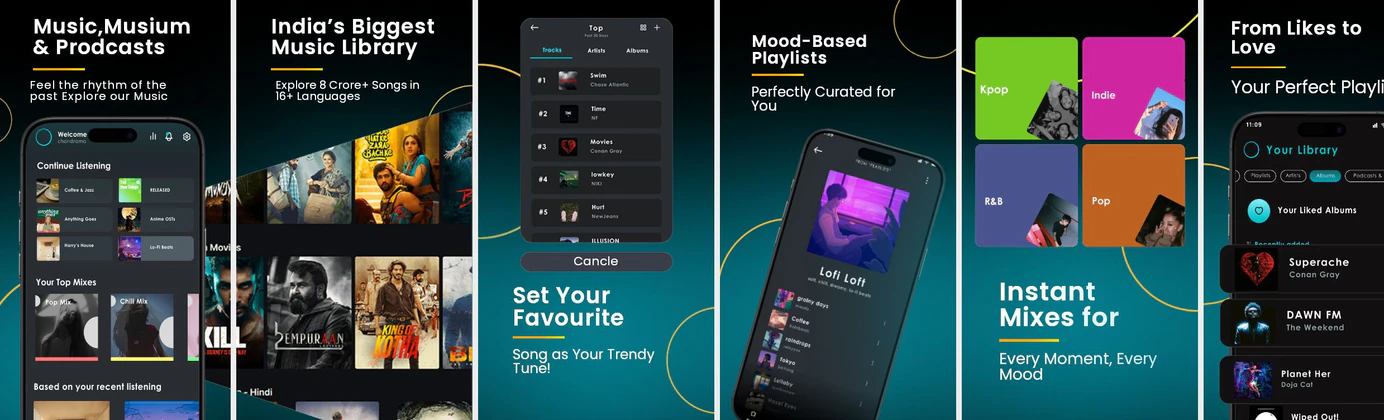
Showcase clean player interfaces, episode transcripts, and discovery feeds. Frame podcasts with bold, modern title captions.


 App Store Screenshot Templates

 Play Store Screenshot Templates

✨ App Mockups, Ads & ASO Marketing Graphics
ASO Guide: Visual Optimizations for Podcast Player Listings
Podcast screenshots should prove discovery quality and listening control in the same sequence. Begin with curated shows or categories, then show playback speed options, queue management, and downloads. Users evaluating podcast apps often look for convenience and control depth, so your early frames should make those strengths obvious. Avoid visual overload around episode metadata.
Creative effectiveness increases when each screenshot maps to one listener job. StoreMaven has reported up to a 33% download lift from optimized screenshot sets, and podcast teams can apply this by testing discovery-led versus control-led openings. Use clear labels for speed and bookmarking features to attract power listeners. Nakxi helps teams rapidly publish these variants across iOS and Android while keeping consistent styling.
Podcast apps stand out by showcasing content variety and listening speed. Display show cover grids, speed control toggles (1.5x speed), synced transcripts, and creator profiles. Colorful cover designs with clear text frames look highly premium.
Keep text highly focused on usability: 'Stream Thousands of Shows', 'Adjust Playback Speed', or 'Read Synced Transcripts'. Use clean, modern device templates in Nakxi.
Podcast teams usually get better testing velocity in Nakxi by maintaining one discovery-to-playback template and swapping category-specific show examples per campaign.
Frequently Asked Questions
How do I represent audio playback speed controls?
Feature a player card mockup showing a speed selection menu (e.g. '1x, 1.25x, 1.5x') to demonstrate speed-listening options.
Should I showcase video podcast capabilities?
If your app supports video podcasts, dedicating one screenshot showing a split screen with a video window and audio waves is a great differentiator.
Should podcast apps highlight speed controls in screenshots?
Yes, especially for audiences that consume long-form content regularly. Speed controls are a clear differentiator and signal advanced listening convenience. Show the control in context, not as isolated UI. This helps users understand real everyday value.
What screenshot order works for podcast listings?
A practical order is discovery first, playback controls second, and continuity features like downloads or queues third. This progression mirrors the listener journey from selection to ongoing use. Keep each frame focused on one task. Simple sequencing improves comprehension.
How do I create podcast app screenshots with Nakxi?
Pick a podcast template from this page, open it in Nakxi's editor, swap in your UI captures, write outcome-led captions, and export App Store and Play Store sizes from one canvas. Most teams ship a first draft in under an hour without a design agency.
What screenshot sizes do podcast apps need in 2026?
Apple's required iPhone class is 6.9-inch (1320 × 2868 px, with 1290 × 2796 px and 1260 × 2736 px also accepted). If the app runs on iPad, the 13-inch class is required (2064 × 2752 px, 2048 × 2732 px also accepted). Google Play screenshots must be 320–3840 px per side, with the long side at most twice the short side. The feature graphic is exactly 1024 × 500 px. Nakxi exports both store formats from a single design.