App Mockup Generator
Free app mockup generator for iPhone, Android, and tablet. Drop in your screenshots, pick a device frame, and export mockups for your website, ads, or press kit — no Photoshop needed.
Device mockup templates
Browse all →Pick a template, drop in your screenshots, and export polished mockups for your website, social posts, and press kit.
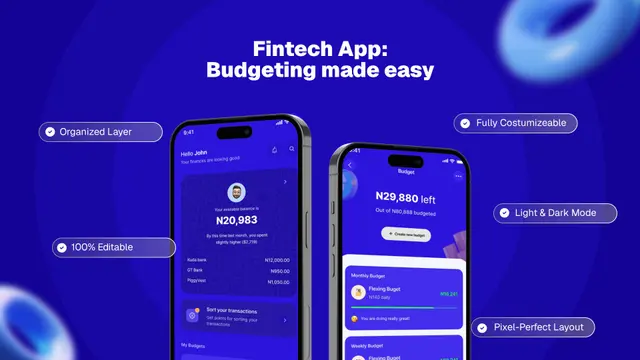 💰 Fintech Budget Planner App UI Mockup Template
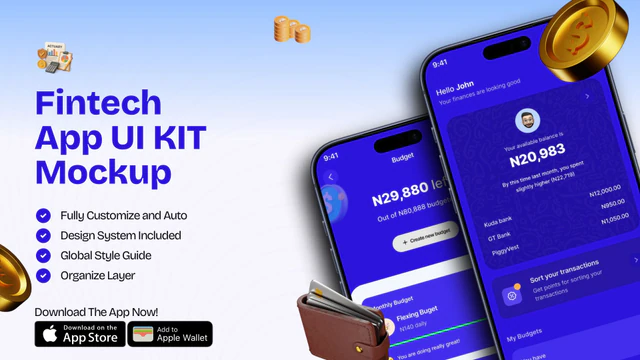 Fintech App UI Kit Mockup | Mobile Banking & Finance Template
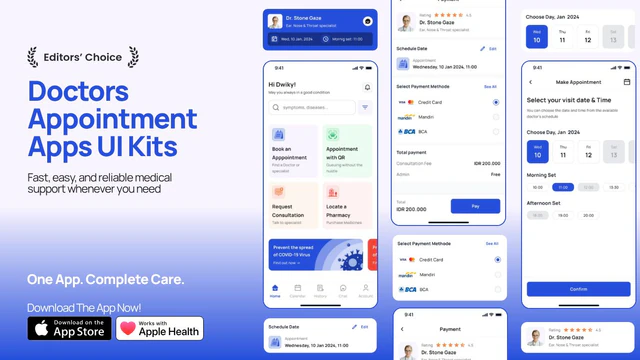 Doctor Appointment App Promo – App UI Kit Mockup with Medical Booking Screens
 Ride Booking App Promo – App UI Mockup with Taxi & Navigation Screens
 Crypto Portfolio App Promo – 3D Mobile UI Mockup with Trading Dashboard
 Meditation and Mindfulness UI Kit
 Finance App UI Kit Mockup – Banking & Expense Tracker App Promo Design
 Music Streaming App UI Kit Mockup – Modern Audio Player & Playlist Design
 Furniture E-commerce App UI Mockup | Modern Interior Retail Design
 AI Food Calorie Tracker App UI Mockup – Nutrition & Diet Mobile Design
 Ecommerce App UI Mockup – Modern Shopping Mobile App Design
 Cryptocurrency Wallet App Advertisement – Crypto Trading & Portfolio UI
How to create device mockups in 3 steps
Choose a mockup template
Start from layouts made for iPhone mockups, phone mockups, and tablet frames.
Drop in screenshots
Add your UI, adjust the background, and match your brand in minutes.
Export high-quality visuals
Download crisp mockups for landing pages, ads, decks, and press kits.
App mockup generator (device mockup maker) for iPhone & Android
An app mockup generator — also called a phone mockup generator, device mockup maker, or iPhone mockup creator — helps you present your app UI inside realistic hardware frames. This is the fastest way to create credible marketing visuals for landing pages, ads, and press kits without touching Figma or Photoshop.
For store listings, use the AI app screenshot generator or App Store / Play Store screenshot templates with the exact submission dimensions. For everything else — websites, social, decks, Product Hunt — use mockup templates. Nakxi supports both workflows from the same project.
How Nakxi Compares to Other App Mockup Generators
- Single image → one device frame — no layout control
- No multi-device scenes or composition editing
- No caption, text, or background editing
- No localization for international marketing
- Multi-device scenes in one canvas
- Full drag-and-drop: text, backgrounds, branding
- Smart Resize for any export size
- Localization for international marketing pages
- No current iPhone 16 / Pixel 9 device frames
- Manual sizing for every export destination
- No connection to App Store screenshot workflow
- Steep learning curve for non-designers
- Current iPhone, Samsung, and Pixel frames always up to date
- Mockup + App Store + Play Store — one tool
- ASO-focused templates, not generic marketing layouts
- No design skills required to ship professional results
Frequently asked questions
Quick answers about creating device mockups with Nakxi.
What is an app mockup generator?
An app mockup generator — also called a phone mockup generator, device mockup maker, or iPhone mockup creator — helps you place your app screenshots inside realistic device frames and export polished marketing visuals. Unlike store screenshot generators (which export at App Store Connect or Google Play Console dimensions), mockup generators produce visuals for landing pages, ads, press kits, and Product Hunt launches.
Is Nakxi's app mockup generator free?
Yes. Nakxi works as a free app mockup generator — no credit card required. Browse all device mockup templates, open the drag-and-drop editor, place your screenshots in iPhone or Android frames, and preview the output. Export limits apply on the free plan; upgrading unlocks full resolution exports and advanced workflows.
What is the best app mockup generator in 2026?
The best app mockup generator depends on how much customization you need. Nakxi offers current iPhone, Android, and tablet device frames with a full drag-and-drop editor — you can freely reposition elements, apply custom backgrounds, and add captions. It also connects directly to your App Store screenshot workflow, so you can produce both store-compliant screenshots and marketing mockups in the same tool.
How does Nakxi compare to Mockuphone or Shots.so?
Mockuphone and Shots.so offer quick single-image mockups — drag in a screenshot, get a device frame back. Nakxi goes further: multi-frame mockup layouts (multiple devices or scenes in one design), full caption and background editing, Smart Resize for multiple output sizes, and localization for international marketing pages. If you need one quick framed screenshot, Mockuphone works. If you need a full marketing set, Nakxi is built for that.
How does Nakxi compare to AppMockUp?
AppMockUp focuses on generating mockups from individual screenshots with limited layout control. Nakxi lets you build full marketing scenes: multiple devices in one canvas, custom text, brand colors, and backgrounds — then export at any size. You also get access to App Store and Play Store screenshot templates in the same tool.
Can I make iPhone mockups and Android phone mockups?
Yes. Nakxi supports iPhone mockups (iPhone 16 Pro Max and earlier), Android phone mockups (Samsung, Pixel, and generic frames), and tablet mockups. A single design can show your app across multiple device types simultaneously — useful for landing pages and Product Hunt posts.
What should I use device mockups for vs. store screenshots?
Use store screenshots for App Store Connect and Google Play Console submissions — these need exact pixel dimensions and must pass Apple and Google's review. Use mockups for everything else: landing pages, social media, ads, press kits, and investor decks. Nakxi supports both from the same project.
What size should I export app mockups?
Mockup export size depends on the destination: for Retina landing pages export at 2x (typically 2560 × 1440 px or similar), for social ads 1080 × 1080 px (square) or 1080 × 1920 px (story format), for Product Hunt 1270 × 760 px. Nakxi's Smart Resize generates multiple sizes from one design — set the target size and export without rebuilding.
Can I create mockups for App Store and Play Store at the same time?
Yes. Within Nakxi you can build mockup marketing assets and then switch to the AI app screenshot generator, or the App Store / Play Store screenshot generators, for the actual store submission. Both workflows share your design system so branding stays consistent across marketing visuals and store listings.
Can I localize mockups for different languages?
Yes. If your mockup includes captions or on-screen text, Nakxi's localization workflow lets you create language variants without rebuilding layouts. This is useful for international launch pages and localized ad campaigns — especially where text length changes significantly between languages.
Start generating device mockups — free
Templates, device frames, and fast exports.
Start free — no card requiredAlso explore: Device mockups · App Store templates · Play Store templates · App Store screenshot generator