
Pixel, Galaxy, and generic Android
Android App Mockup Generator
Drop your app screens into Pixel, Galaxy, or generic Android frames and export mockups for your website, ads, and launch posts. Free to start, no card needed.
- 1 project on the free plan
- 10 exports
- No card to start
How it works
A mockup in three steps
-
Pick a scene
One Android device or several. Phone frames only in this set.
-
Add your screens
Upload PNG or JPG captures and adjust the background, spacing, and brand colors.
-
Export for where it’s going
Set the size and download.
Templates
Android scenes
Pixel, Galaxy, and other Android frames from the mockup library. Swap in your screens.
 AI Food Calorie Tracker App UI Mockup – Nutrition & Diet Mobile Design
 Ecommerce App UI Mockup – Modern Shopping Mobile App Design
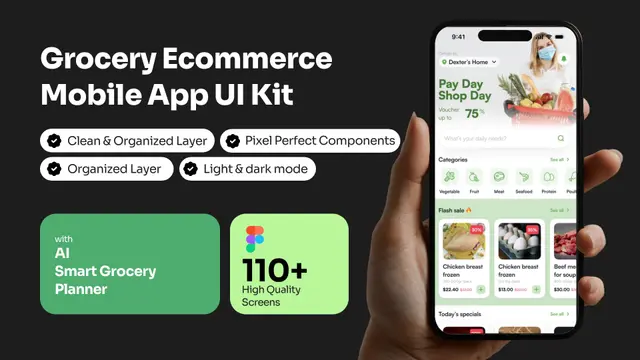 AI Grocery Ecommerce App UI Kit Mockup Template
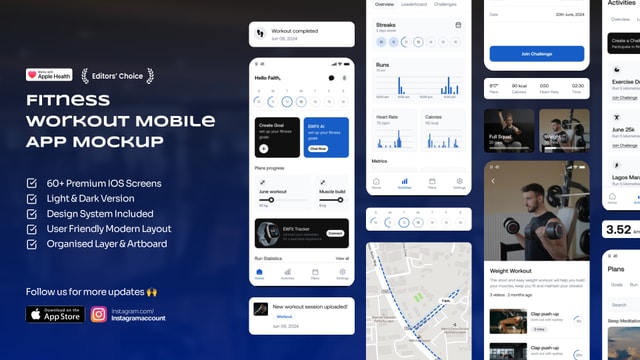 Modern Fitness Workout App UI Mockup for iOS Health & Gym Apps
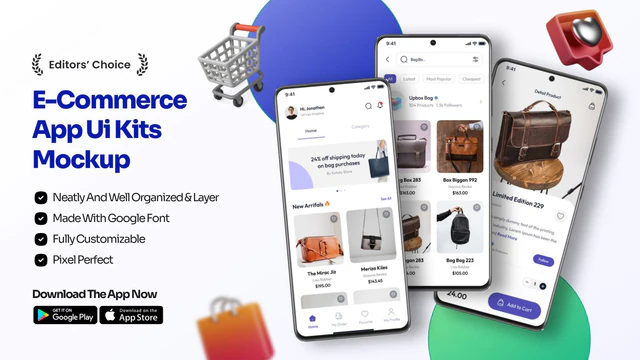 Modern E-Commerce App UI Mockup for Fashion & Bag Store Apps
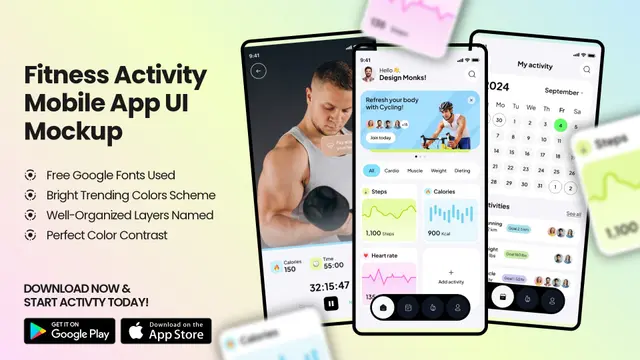 Fitness Activity App UI Mockup – Workout Tracker & Health Dashboard Design
Export
Common export sizes
- 2560 × 1440 Landing page hero 2× Retina
- 1080 × 1080 Social square Feed posts and ads
- 1080 × 1920 Story / Reel Vertical social formats
- 1270 × 760 Product Hunt gallery Launch gallery images
Two jobs
Mockups vs Play Store screenshots
Mockups are for everywhere outside the store: websites, ads, press kits, decks. Play Store screenshots need exact Play Console sizes and captions written for search. Nakxi does both from one project, with the Play Store screenshot generator for the listing. Sizes and the feature graphic are in the Play Store screenshot guide.
For ASO
Android app mockups vs Play Store ASO screenshots
App mockups are marketing visuals for your website, Product Hunt launch, press kit, or social ads. They show your Android app in Pixel or Galaxy frames with custom backgrounds and flexible sizing — optimized for visual appeal, not store requirements.
Play Store screenshots are ASO (App Store Optimization) assets designed to convert store visitors into installs. They require exact pixel dimensions (1080 × 1920 for phones, 2048 × 2732 for tablets), benefit-focused captions that match search intent, and a 1024 × 500 feature graphic. The first three screenshots appear in search results before someone opens your full listing.
Nakxi handles both from the same project. Design your mockup scenes here with the Android mockup generator, then switch to the Play Store screenshot generator to add ASO captions and export listing-ready files. Learn more: What are ASO screenshots?
Honest take
Other Android mockup tools worth knowing
Mockuphone and Shots.so are quick for a single framed screenshot. Previewed covers 3D and animated mockups. AppMockUp is free and needs no account. Nakxi fits best when you need multi-device scenes, localization, and store screenshots from the same project.
-
Mockuphone
Quick for a single framed screenshot.
-
Shots.so
Quick for a single framed screenshot with a background.
-
Previewed
3D and animated mockups.
Nakxi vs Previewed -
AppMockUp
Free and needs no account.
Nakxi vs AppMockUp
Device support
Android frames included
The Android mockup library includes Samsung Galaxy S22, S22 Ultra, S21 Ultra, S20, S20 Ultra, and Note20 Ultra. Google Pixel 5, Pixel 6 Pro, and generic Android frames. Also OnePlus 8 Pro, Oppo Find X3 Pro, Huawei P30 Pro, and Xiaomi 12.
No tablet frames yet. There's no Galaxy Tab or Pixel Tablet frame in this set. Tablet scenes in the editor use iPad frames. If you need Android tablet mockups, the best workaround is to use a generic Android phone frame scaled up, or design the tablet scene in the general mockup generator and export at custom dimensions.
Frames are updated as new flagship devices launch. Request a specific device in the editor's feedback widget if you need a frame that's not listed.
Pricing
Free to start
Free
$0
No card required
- 1 project · 10 standard exports
- 10 AI credits (one-time)
- 1 competitor report · 3 screenshot scores
- 1 review analyzer AI preview (no credits)
- 1 localized locale
1 project and 10 exports.
Creator
$12 / month
Billed $144 / year, or $19 / month billed monthly
- Unlimited projects and exports
- 300 AI credits / month
- 80+ languages · publish to both stores
Unlimited mockups, store screenshots, and publishing.
Growth
$19 / month
Billed $228 / year, or $29 / month billed monthly
- Everything in Creator
- 1,000 AI credits / month
- Competitor and keyword insights
Add competitor and keyword research.
FAQ
Is the Android mockup generator free?
Yes. The free plan includes 1 project and 10 exports. Creator removes the limits. No card to start.
Which Android devices are included?
Samsung Galaxy S22, S22 Ultra, S21 Ultra, S20, S20 Ultra, and Note20 Ultra. Google Pixel 5 and Pixel 6 Pro. Generic Android frames. Also OnePlus 8 Pro, Oppo Find X3 Pro, Huawei P30 Pro, and Xiaomi 12. There is no Galaxy Tab or Pixel Tablet frame. Tablet scenes in the editor use iPad frames.
Can I make Android and iPhone mockups in one scene?
Yes. One design can hold Android frames and iPhone frames together. Start here for the Android set, or open the app mockup generator when the scene is mixed.
Can I localize my mockups?
Yes. If the mockup has captions, the localization workflow creates language variants without rebuilding the layout.
Make an Android mockup
Free account, no card.