Competitor Insights · Listings, keywords, gaps
Competitor Insights
See rival App Store and Google Play titles, screenshots, and keywords next to your project. Gaps become Growth Opportunities with a recommended action — then redesign and rewrite in the same place.
- One report on Free
- Full insights on Growth
In-project research
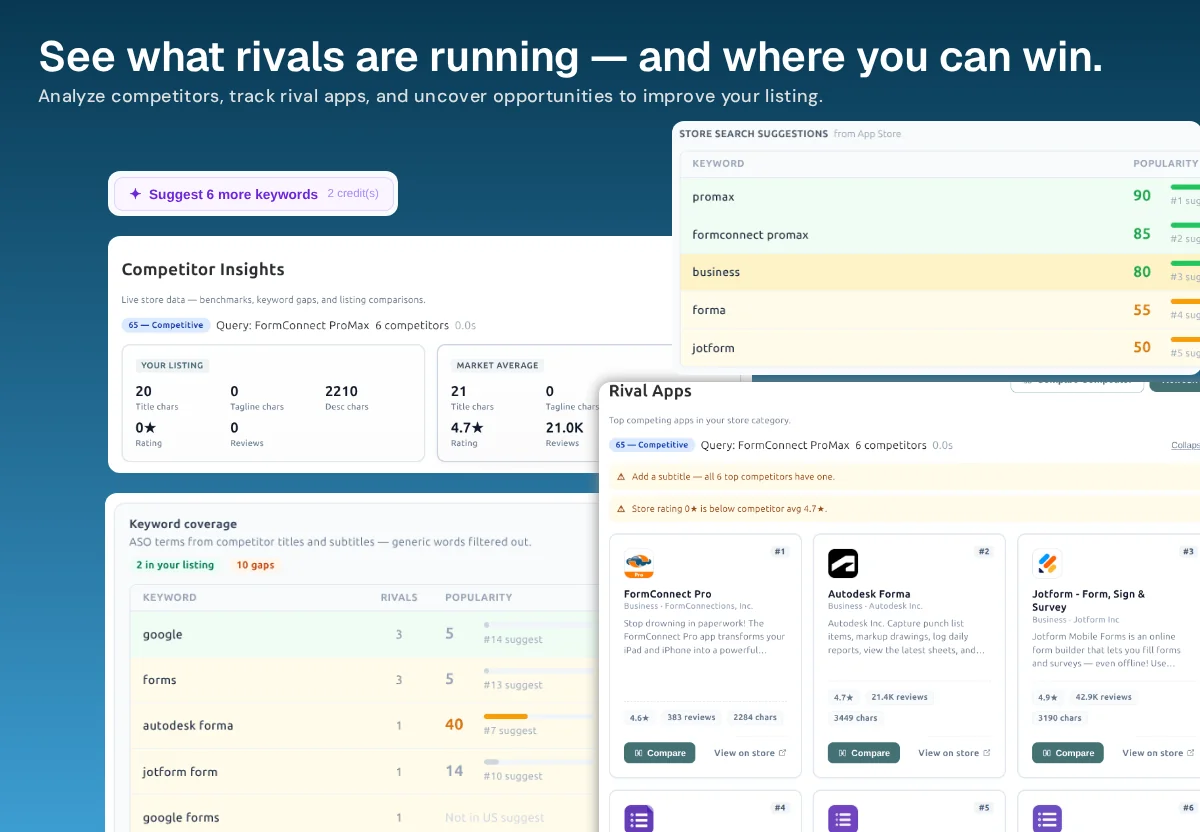
See what rivals are running — and where you can win
Competitor analysis for ASO is not copying a rival icon. It is reading how category leaders fill title and subtitle, which keywords they cover, and which listing basics you are missing. Nakxi keeps that next to the editor instead of in a tab you close.
-
Listing gaps
Character counts, subtitle presence, ratings, and review volume versus the market average — so weak fields are obvious before you rewrite.
-
Rival apps
A grid of competing listings with Compare and View on store. Keep the set attached to the project instead of a discarded spreadsheet.
-
Keyword coverage
Terms in your listing versus gaps rivals already use, with popularity and suggest rank so you know which misses are worth the title or subtitle.
-
Act in Nakxi
Add a missing term to the subtitle, open Metadata AI, or redesign screenshots without exporting research to another tool.
Keyword gaps you can put in metadata
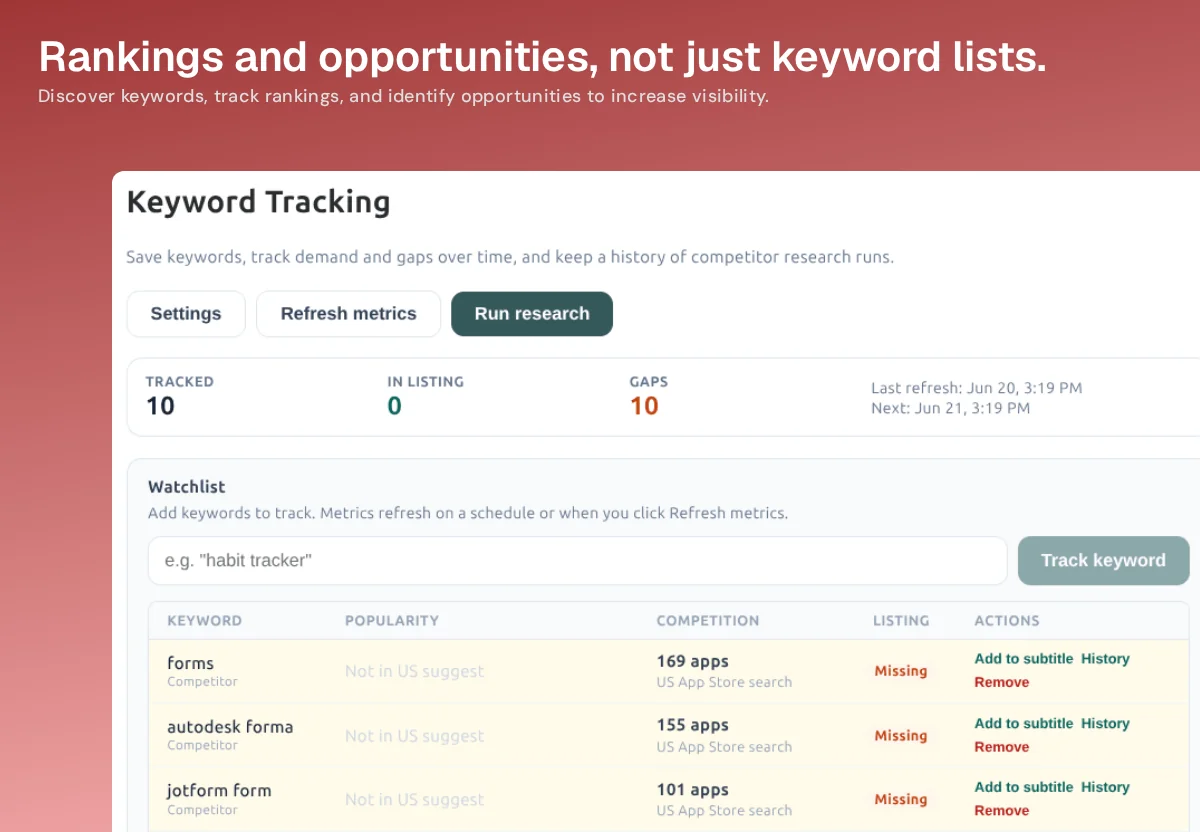
A gap only matters if you can place it. Keyword Tracking shows demand, competition, and a Missing flag on terms rivals use that your listing does not — with actions like Add to subtitle.
Need a public preview without an account? Use the ASO keyword gap checker or Compare with Competitors. Those are one-off scans. This page is the workflow that stays in the project and feeds Metadata AI.
Research that does not die in a spreadsheet
Run one competitor report free. Keep rivals next to the listing you will ship.
Competitor Insights FAQ
In-project intel versus a free one-off compare.
How is Competitor Insights different from the free Compare tool?
The free Compare with Competitors tool is a one-off side-by-side table from a store URL. Competitor Insights lives inside your Nakxi project — rivals stay attached to the listing you are redesigning, with keyword gaps and listing benchmarks that flow into Screenshot Studio and Metadata AI.
What does Competitor Insights actually show?
Rival apps with ratings and review volume, title and subtitle coverage, description length, keyword gaps versus those rivals, and store search suggestions. Actionable alerts call out misses such as a missing subtitle when every top competitor has one.
Who should use this page vs /competitor-compare/?
Use the free Compare tool when you want a quick public listing table without signing up. Use Competitor Insights when you want research attached to the project you will redesign and rewrite in the same workspace.
Is Competitor Insights on the free plan?
Free includes one competitor report so you can try the workflow. Full Competitor Insights and Keyword Insights sit on Growth. The public Compare and Keyword Gap Checker tools stay available without an account.