Productivity & Task Manager App Store Screenshot Templates
Show how your app helps users organize, execute, and stay consistent across daily work.
Showcase sleek to-do lists, daily calendars, and focus ring charts. Emphasize organization, cloud sync, and speed to double downloads.
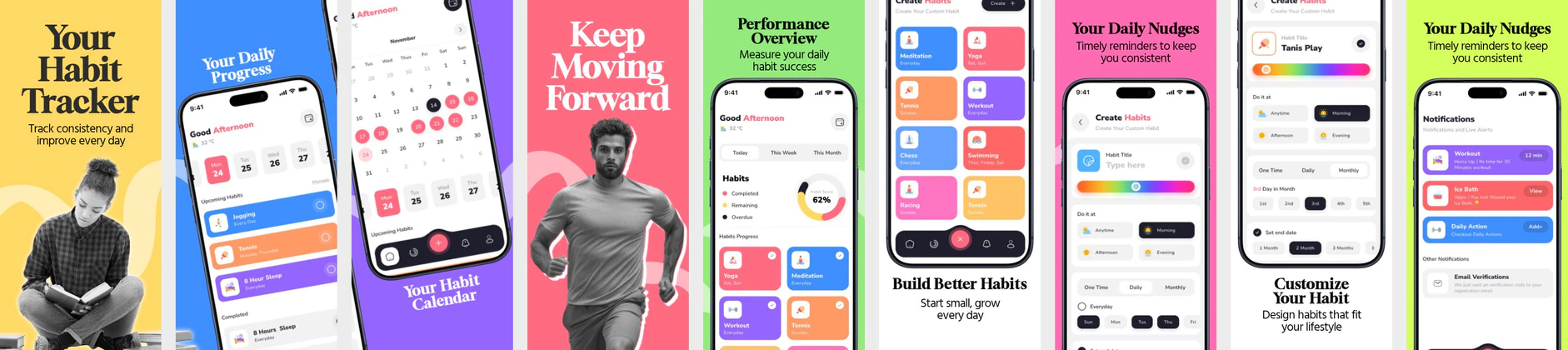

 App Store Screenshot Templates

✨ App Mockups, Ads & ASO Marketing Graphics
Smart Study Motivational Poster Template – Productivity & Learning Design Focus Quote Poster Template – Modern Motivational Character Design
 Motivational Typography Poster Template – Focus, Mindset & Success Quote
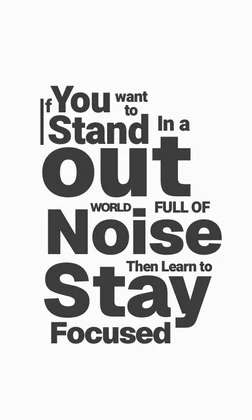 Motivational Typography Poster – Stay Focused Quote Design Template
 Focus Motivation Advertisement Template – Stay Focused Success Design
 Motivational Poster Template – Productivity Quote Social Media Design
ASO Guide: Designing Slick Screenshots for Productivity Apps
Productivity screenshots should communicate reduced mental load from the first frame. Start with task clarity, then show planning views, reminders, and collaboration or sync features. Users in this category evaluate whether the app will make work simpler today, not whether it has every possible feature. Keep layout clean, labels specific, and outcomes visible.
Conversion often improves when screenshot sequencing mirrors real workflows. AppTweak benchmarks indicate better performance when listings prioritize action clarity before advanced customization. Show one immediate use case, one planning context, and one continuity benefit like cross-device sync. Nakxi helps teams generate persona-based variants for students, professionals, and teams while preserving a consistent visual system across store formats.
Productivity and business app listings need to look clean, highly organized, and professional. Your screenshots should highlight how users can save time, organize tasks, and collaborate. Messy or crowded screenshots will turn away productivity seekers.
Emphasize dashboard highlights, calendar widgets, integrations, and keyboard shortcuts. Showing cross-device support (like sync between phone and desktop) in your screenshots will also dramatically increase trust among power users.
Productivity teams frequently use Nakxi to keep one structured task-flow template and then adapt module emphasis for personal planning, team coordination, or focus-oriented campaigns.
Frequently Asked Questions
Should productivity apps use device mockups or flat screens?
Device mockups (especially combining a phone and a laptop/tablet) are highly recommended because they showcase cross-platform sync, which is a major feature for business users.
What are key phrases to include in productivity screenshot captions?
Use clear, action-oriented captions like 'Organize Your Day', 'Collaborate in Real-Time', 'Set Reminders & Goals', or 'Sync Across All Devices'.
Should productivity apps show multiple device types in screenshots?
Yes, if sync or cross-platform access is a major value proposition. A single frame with mobile and desktop context can reinforce reliability for work users. Keep the composition clean so key actions remain legible. Avoid turning it into a dense collage.
How can productivity screenshots improve conversion quality?
Use realistic workflows and avoid overstated automation claims. Users who understand exactly what the app does are more likely to retain after install. Show one immediate action and one long-term benefit clearly. This improves expectation alignment and reduces churn.
How do I create productivity app screenshots with Nakxi?
Pick a productivity template from this page, open it in Nakxi's editor, swap in your UI captures, write outcome-led captions, and export App Store and Play Store sizes from one canvas. Most teams ship a first draft in under an hour without a design agency.
What screenshot sizes do productivity apps need in 2026?
Apple requires up to three iPhone display families (including 6.9-inch and 6.5-inch) per Apple's screenshot specifications. Google Play accepts 16:9 or 9:16 phone layouts between 320px and 3840px per side, as documented in Google Play listing best practices. Nakxi exports both store formats from a single design.