Ride Booking & Taxi App Store Screenshot Templates
Show commuters exactly how fast they can book, track, and complete dependable rides.
Showcase real-time maps, vehicle selection, and fair estimations. Emphasize fast booking and reliable drivers with clear captions.
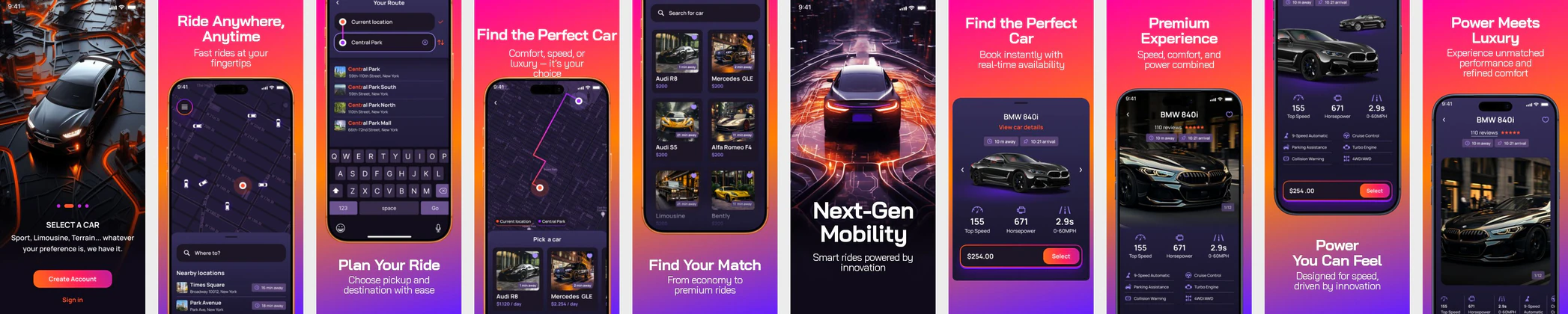

 App Store Screenshot Templates
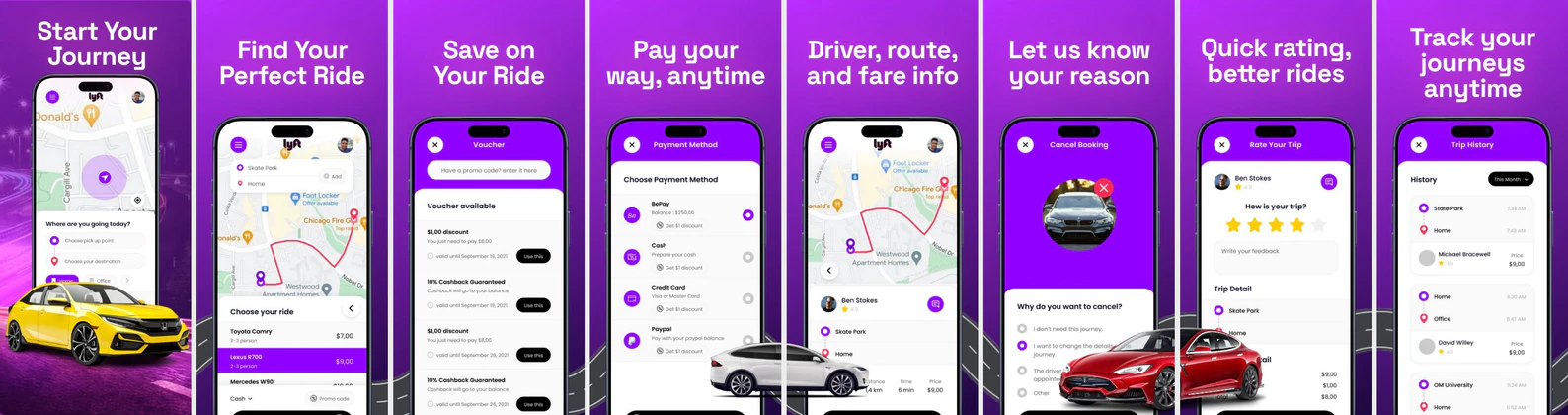

 Play Store Screenshot Templates

✨ App Mockups, Ads & ASO Marketing Graphics


ASO Guide: Converting Daily Commuters in Ride Apps
Ride-booking screenshots should communicate speed and certainty within the first two frames. Start with booking request and confirmation, then show ETA tracking, fare transparency, and safety controls. Users choosing a transport app are usually time-sensitive, so clarity beats aesthetic experimentation. Keep maps readable and labels concise so route, pickup, and arrival details are obvious even in small previews.
Performance in mobility categories often depends on how quickly users can verify reliability. StoreMaven has reported up to a 33% download lift from optimized screenshot sets, and ride apps can apply this by testing map emphasis, pricing visibility, and trust cues. Show one strong utility per frame and avoid mixing unrelated perks. Nakxi lets teams localize city-specific variants while preserving visual consistency across iOS and Android requirements.
Taxi and ride-booking listings convert based on speed, safety, and price transparency. Highlight how fast a user can book a ride, choose vehicle tiers (Economy vs Premium), and see upfront price calculations. An active map showing a driver arriving is a key visual trigger.
Captions must call out reliability and convenience: 'Book Rides in Seconds', 'Know Prices Upfront', or 'Track Your Driver in Real-Time'.
Ride teams usually scale creative testing in Nakxi by reusing one request-to-arrival sequence and swapping localized map context plus trust messaging for each launch city.
Frequently Asked Questions
What screenshot captures the core feature of a ride-sharing app?
The map screen showing the driver's location, route to the user, and estimated arrival time ('Driver arriving in 3 mins') is the most important screen.
Should ride-hailing listings display pricing details?
Yes, showing a mock fare estimation card ('Fare: $15.50') helps convey transparency and affordability, which is a major conversion factor.
Which screenshot drives conversion most for ride apps?
The booking confirmation or active ETA screen often has the strongest impact. It directly proves the app solves the immediate commuter need. Keep timing and location cues highly legible. Follow that with transparent pricing to reinforce trust.
Should ride apps show multiple vehicle classes?
Yes, when tier choice is an important product differentiator. A simple economy-versus-premium frame can improve perceived flexibility. Avoid dense price tables that are hard to read at thumbnail size. Focus on choice clarity and expected ride experience.
How do I create ride booking app screenshots with Nakxi?
Pick a ride booking template from this page, open it in Nakxi's editor, swap in your UI captures, write outcome-led captions, and export App Store and Play Store sizes from one canvas. Most teams ship a first draft in under an hour without a design agency.
What screenshot sizes do ride booking apps need in 2026?
Apple requires up to three iPhone display families (including 6.9-inch and 6.5-inch) per Apple's screenshot specifications. Google Play accepts 16:9 or 9:16 phone layouts between 320px and 3840px per side, as documented in Google Play listing best practices. Nakxi exports both store formats from a single design.