Habit Tracker App Store Screenshot Templates
Turn daily consistency into a visual story users can commit to in seconds.
Visualize daily routines, habit streaks, and goals. Encourage users to build consistency with motivational, progress-driven layouts.
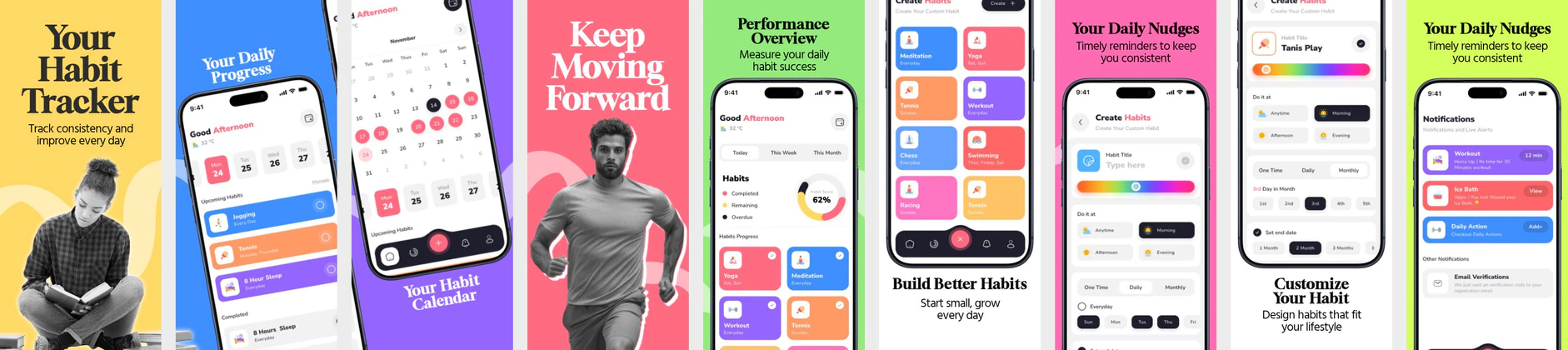
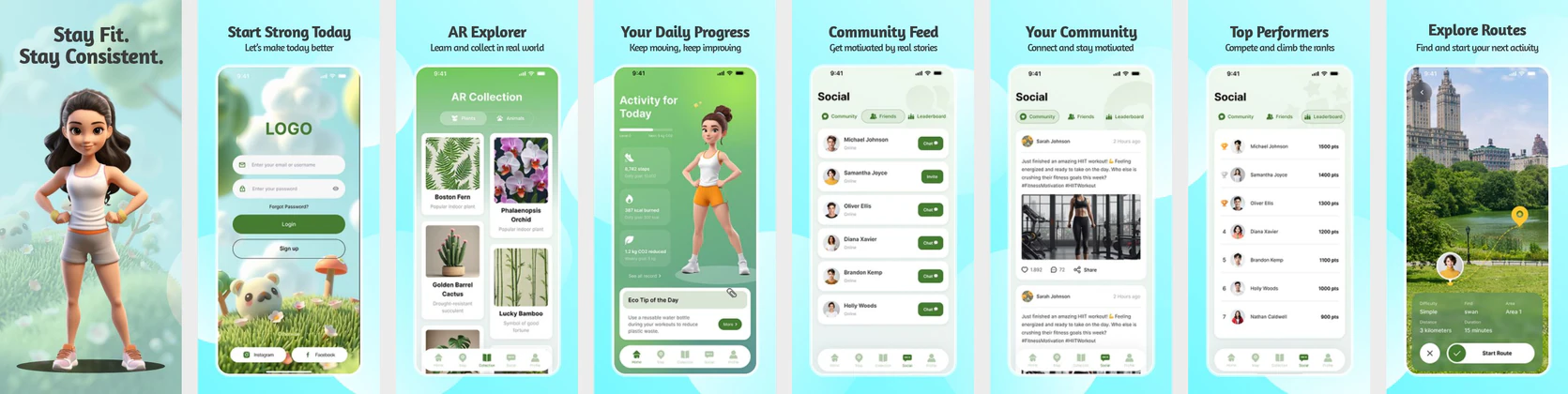
 App Store Screenshot Templates

ASO Guide: Highlighting Consistency and Gamification in Habit Apps
Habit tracker screenshots should emphasize momentum and simplicity from the first frame. Start with streak continuity, then show reminder controls, routine planning, and progress reflection. Users in this category are evaluating whether your app makes behavior change feel manageable, so keep interfaces uncluttered and language encouraging. A clear sequence from start to consistency usually outperforms feature-dense layouts that look complicated.
Small creative adjustments can meaningfully affect conversion in habit categories. StoreMaven has reported up to a 33% download lift from optimized screenshot sets, and routine products often benefit from testing motivational tone and visual hierarchy. Use one promise and one proof per frame, then reinforce progress with visible milestones. Nakxi helps teams ship these experiments quickly while keeping exports and brand styling consistent across both stores.
Habit and routine builders sell self-improvement. Your screenshots must emphasize simplicity and gamification—showing calendar streak grids, positive daily alerts, and motivational milestone badges. Showing a clean, visual grid representing active habit tracking makes onboarding feel easy.
Keep text highly motivational: 'Build Good Habits', 'Stay on Track', or 'Visualize Your Progress'. Frame app screens inside modern devices with colorful background gradients to represent a positive habit lifestyle.
Habit teams usually move fastest in Nakxi by creating a reusable streak-first template, then adapting tone and feature emphasis for wellness, focus, or self-improvement audiences.
Frequently Asked Questions
How do I show habit streaks effectively in screenshots?
Showcase calendar views filled with success badges, checkmarks, or colorful streaks showing days completed. Visual consistency drives downloads.
What is the best color scheme for habit tracker listings?
Bright, friendly colors like purples, mint greens, and soft blues convey a sense of calm organization, productivity, and personal growth.
Should habit apps focus more on streaks or goals?
Streaks are often the strongest opener because they are instantly understandable and emotionally motivating. Goals can follow in later frames to provide strategic context. Combining both heavily in the first image can reduce clarity. Sequence them for progressive understanding.
How many core features belong in a habit screenshot set?
Three to five core capabilities are usually enough for effective listings. Highlight tracking, reminders, and progress reflection first. Too many niche settings can make the app look heavy. Keep the narrative focused on daily consistency.
How do I create habit tracker app screenshots with Nakxi?
Pick a habit tracker template from this page, open it in Nakxi's editor, swap in your UI captures, write outcome-led captions, and export App Store and Play Store sizes from one canvas. Most teams ship a first draft in under an hour without a design agency.
What screenshot sizes do habit tracker apps need in 2026?
Apple requires up to three iPhone display families (including 6.9-inch and 6.5-inch) per Apple's screenshot specifications. Google Play accepts 16:9 or 9:16 phone layouts between 320px and 3840px per side, as documented in Google Play listing best practices. Nakxi exports both store formats from a single design.