
Language Learning App Store Screenshot Templates
Show learners how your app turns daily practice into confident communication outcomes.
Highlight daily vocabulary cards, interactive matching games, and speaking modules. Frame bite-sized progress trackers with clear captions.
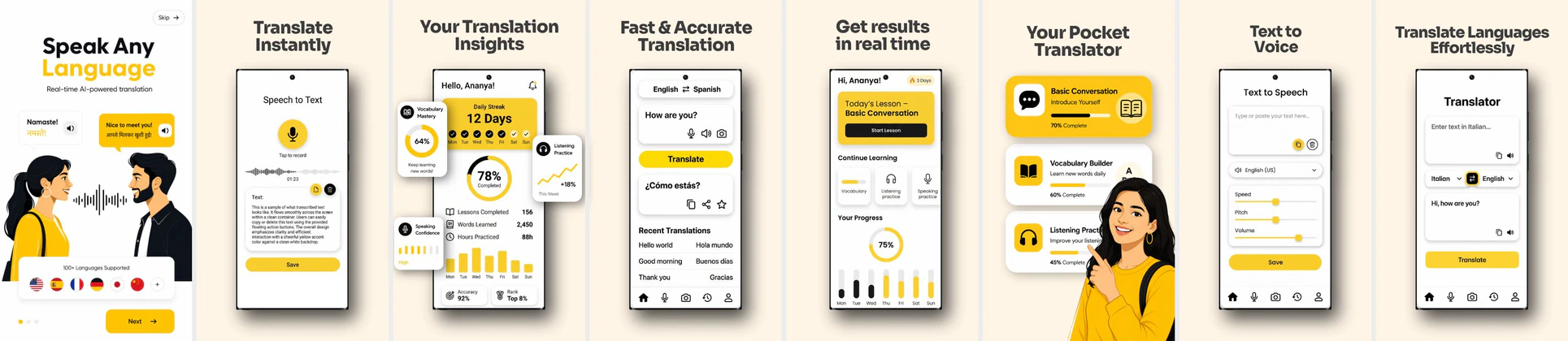
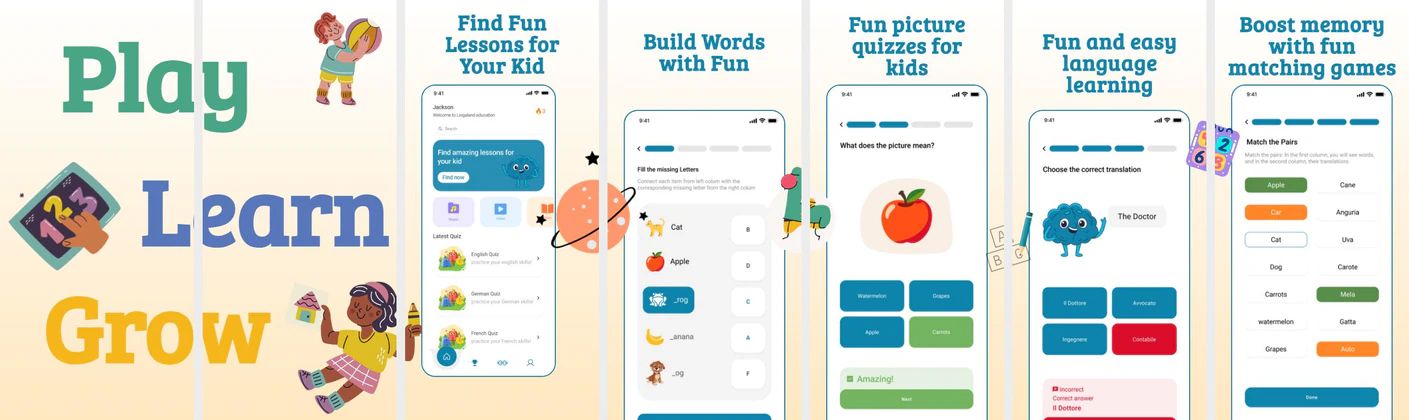
 App Store Screenshot Templates
 Play Store Screenshot Templates
✨ App Mockups, Ads & ASO Marketing Graphics

ASO Guide: Driving Downloads for Language Learning Apps
Language-learning screenshots should prove practical progress quickly. Start with daily lesson flow, then show speaking practice, correction feedback, and streak continuity. Users in this category look for consistent improvement with manageable daily effort, so keep value messages concrete and time-bound. Avoid broad claims without visible instructional context.
Conversion improves when screenshot sequencing mirrors a learner journey from first lesson to real conversation readiness. StoreMaven has reported up to a 33% download lift from optimized screenshot sets, and this category benefits from testing grammar-led versus speaking-led openers. Use visible feedback states as proof of learning quality. Nakxi lets teams localize captions and maintain consistent design while exporting all required iOS and Android sizes.
Language learning listings need to prove that learning is quick and easy. Show vocabulary card matching games, daily streaks, voice feedback graphs, and progress bars. Highlighting natural conversations looks extremely professional.
Pair mockups with captions outlining convenience: 'Learn in 5 Mins a Day', 'Practice Real Conversations', or 'Speak 30+ Languages'. Nakxi’s templates handle multi-platform exports seamlessly.
Language products usually run best in Nakxi by keeping a daily-lesson template core and swapping speaking, grammar, or travel-language modules by region.
Frequently Asked Questions
How do I show speech recognition features in language screenshots?
Show a microphone button being pressed with wave animation graphics and feedback (e.g. 'Excellent pronunciation! 95% Match') inside the device preview.
Is it useful to translate screenshot copy for localized app store pages?
Absolutely. Translating and localizing both screenshot captions and UI details for key target countries boosts search conversion up to 40%.
Should language apps show speaking features in screenshots?
Yes, speaking support is a major differentiator for many learners. One focused screenshot with pronunciation feedback can strengthen credibility quickly. Make the interaction easy to understand at glance level. This helps users connect the app to real communication goals.
How many languages should screenshot copy mention?
Mention major supported language breadth briefly, but avoid overwhelming lists in every frame. Use one dedicated screenshot or caption for language range. Keep the rest focused on learning experience. Clarity generally converts better than exhaustive detail.
How do I create language learning app screenshots with Nakxi?
Pick a language learning template from this page, open it in Nakxi's editor, swap in your UI captures, write outcome-led captions, and export App Store and Play Store sizes from one canvas. Most teams ship a first draft in under an hour without a design agency.
What screenshot sizes do language learning apps need in 2026?
Apple's required iPhone class is 6.9-inch (1320 × 2868 px, with 1290 × 2796 px and 1260 × 2736 px also accepted). If the app runs on iPad, the 13-inch class is required (2064 × 2752 px, 2048 × 2732 px also accepted). Google Play screenshots must be 320–3840 px per side, with the long side at most twice the short side. The feature graphic is exactly 1024 × 500 px. Nakxi exports both store formats from a single design.