iPad Mockup Templates
Present iPad app interfaces in clean, realistic tablet frames for marketing and product pages.
iPad mockups highlight layouts that only shine on large screens — dashboards, creative tools, and split views. Use them on product pages, keynote slides, and App Store iPad screenshot sets.

 iPad Air 11 Mockup TemplatePeacock/Dark Green colored iPad App Marketing Mockup
 Mint and Bone gradient Tablet Mockup
 Dual iPad Device Mockup Template
 iPad Mockup on Brown Background
 Light Brown Template for iPad App Showcase
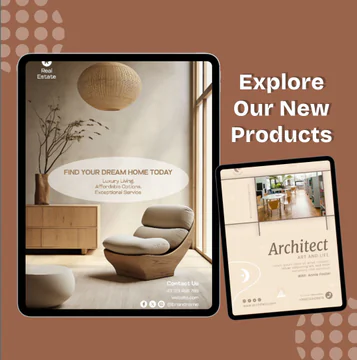 Redwood/Brown iPad App Template for Digital product Showcase
 iPad Air 13 Mockup Template
 iPad Air 13 Pro Mockup Template
 iPad 13 Mockup Design Template
When to Use iPad Mockups in App Marketing
Tablet mockups signal professional workflows — design apps, note-taking, education, and B2B dashboards benefit from iPad frames that show more UI at once.
Pair a primary full-screen iPad view with a subtle hand or desk scene only when it helps context. For ASO, keep text large and contrast high; tablet screenshots are often viewed at thumbnail size.
Frequently Asked Questions
Does Nakxi include iPad aspect ratios for App Store?
Yes. You can export iPad-friendly dimensions alongside phone screenshots using Nakxi resize presets built for Apple tablet slots.
Can I showcase landscape and portrait iPad designs?
Absolutely. Pick a template orientation that matches your UI, or rotate frames and swap artboards without leaving the editor.
How do I edit ipad mockup templates in Nakxi?
Pick any template in this collection, click to open it, swap text and images, apply your brand colors, then export PNG or JPG at the size you need for web, social, or print.
Can I resize ipad mockup designs for other channels?
Yes. Nakxi Smart Resize lets you adapt one layout into story, square, and landscape formats without rebuilding the design from scratch.