
Tablet Mockup Templates
Highlight tablet-optimized UI with mockup templates sized for marketing, decks, and store graphics.
Tablet mockups bridge phone and desktop presentations — ideal for productivity apps, readers, and kids' experiences that need extra canvas space.

 Tablet Mockup Template – App or UI Showcase in Grainy Gradient BackgroundCustom Tablet Mockup Template – Handcrafted Frame for Fashion & Portrait Showcases
 iPad Air 11 Mockup Template
 Peacock/Dark Green colored iPad App Marketing Mockup
 Mint and Bone gradient Tablet Mockup
 Dual iPad Device Mockup Template
 iPad Mockup on Brown Background
 Light Brown Template for iPad App Showcase
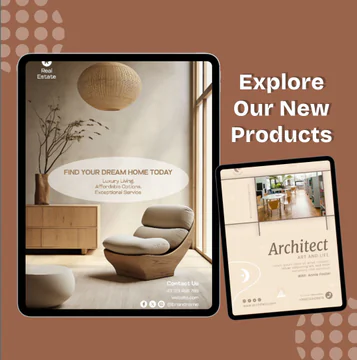 Redwood/Brown iPad App Template for Digital product Showcase
 iPad Air 13 Mockup Template
 iPad Air 13 Pro Mockup Template
 iPad 13 Mockup Design Template
Tablet Mockup Best Practices for App Teams
Lead with the screen that proves your value on a large display — multi-column feeds, drag-and-drop editors, or analytics dashboards read better on tablet frames.
Keep device bezels consistent across a campaign so users recognize your brand. Nakxi templates let you batch-export matching tablet and phone mockups from one project.
Frequently Asked Questions
Are tablet mockups different from iPad-only templates?
Tablet mockups cover generic large-screen frames including iPad and Android tablets. Use iPad-specific hubs when your campaign targets Apple hardware explicitly.
What resolution should tablet mockups use?
Export at least 2000px on the long edge for web and print clarity. Nakxi exports high-resolution PNGs suitable for landing pages and ads.
How do I edit tablet mockup templates in Nakxi?
Pick any template in this collection, click to open it, swap text and images, apply your brand colors, then export PNG or JPG at the size you need for web, social, or print.
Can I resize tablet mockup designs for other channels?
Yes. Nakxi Smart Resize lets you adapt one layout into story, square, and landscape formats without rebuilding the design from scratch.