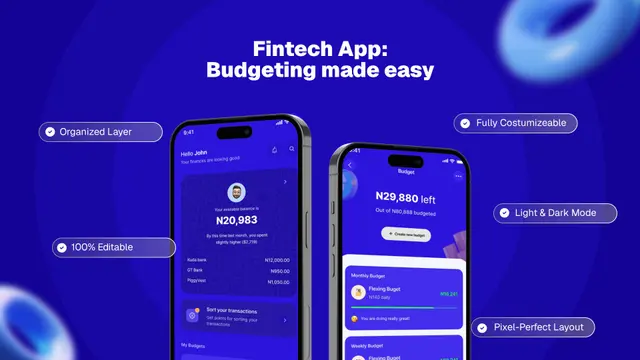
Expense & Budget Tracker App Store Screenshot Templates
Help users see how your app turns messy spending data into daily financial clarity.
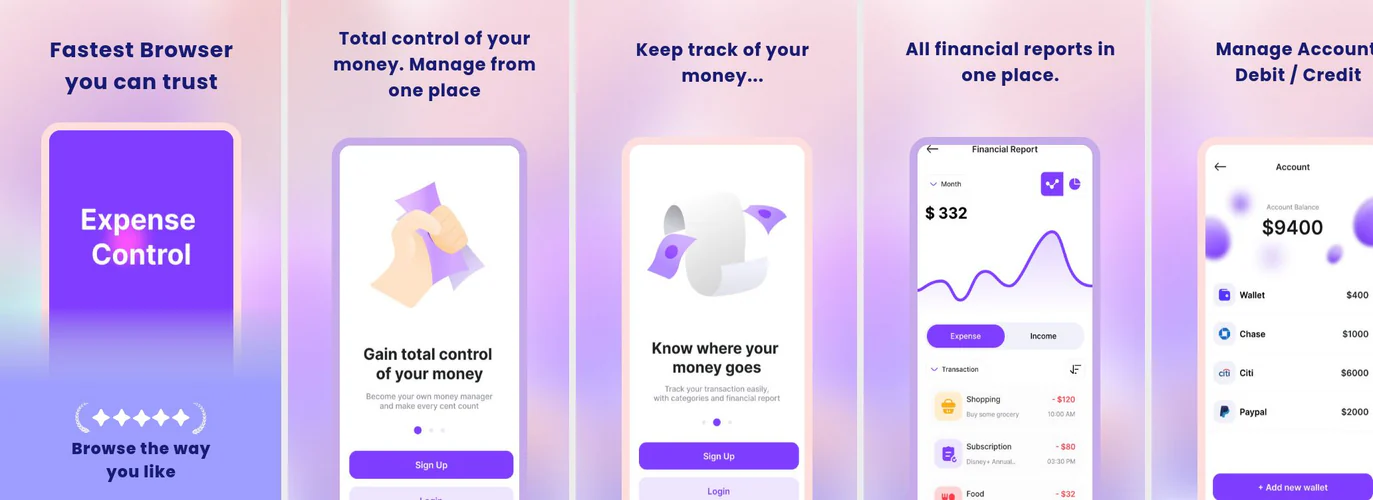
Visualize spending habits, monthly savings, and budget alerts. Help users see how easy it is to manage personal finance with clean, clear layouts.

 App Store Screenshot Templates

 Play Store Screenshot Templates
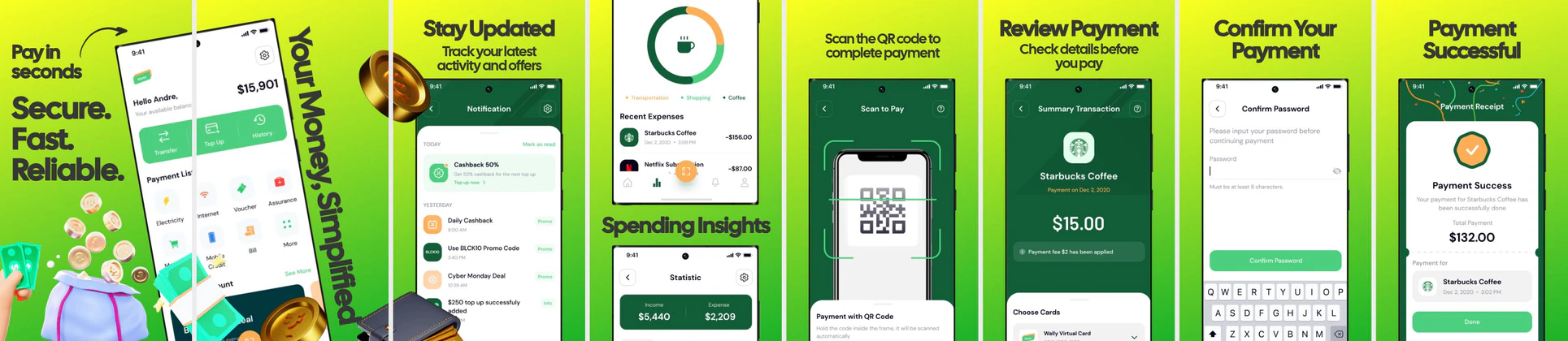
✨ App Mockups, Ads & ASO Marketing Graphics
💰 Fintech Budget Planner App UI Mockup TemplateFinance App UI Kit Mockup – Banking & Expense Tracker App Promo Design Money Tracker App UI Kit Mockup – Personal Finance & Budgeting Design
 Finance Tracker App Promo Design – Expense & Money Management UI
 Finance App Advertisement Design – Secure Payments & Expense Tracking
 Expense Tracker App Mockup Design – Finance & Budgeting UI
 Budget Friendly Tours And Travels Agency Mockup
ASO Guide: Highlighting Value in Expense Trackers
Expense tracker listings should reduce the fear of manual budgeting. Start with automated categorization or sync, then show monthly budget health, recurring bill reminders, and spending trends. Users deciding in this category want effort reduction first, then control. Keep visuals practical and easy to decode at small sizes. A straightforward sequence that mirrors real daily use generally converts better than feature-heavy collage designs.
Performance in finance-adjacent niches often depends on clarity and relevance more than visual flair. StoreMaven has reported up to a 33% download lift from optimized screenshot sets, and budgeting products can capture this by testing automation-led versus savings-led openers. Use consistent color semantics for over-budget and on-track states so insights are immediately interpretable. Nakxi helps teams scale these experiments without recreating every required device format.
For budgeting and expense tracker apps, the biggest barrier is the perception of manual labor. Use your screenshots to prove the app is automated. Showcase features like receipt scanning (OCR), automatic bank sync, and visual budget alerts.
Use colorful pie charts or progress rings to represent spending categories. Captions should be encouraging: 'Track Spending Automatically', 'Never Miss a Bill', or 'Save More Every Month'.
Expense tracker teams usually build faster in Nakxi by anchoring a core spend-to-savings storyline and swapping persona-specific examples for students, families, or freelancers.
Frequently Asked Questions
What visual elements work best for budgeting apps?
Progress indicators (e.g. green bars showing budget left, red showing overspent) and categorized icons (e.g. shopping bag, food plate, car) make data scan easily.
Can I use Nakxi to export in multiple languages?
Yes, Nakxi allows multi-locale generation so you can customize screenshots for different localized store markets in one go.
Should budgeting apps show charts in the first screenshot?
Usually no, unless your audience is advanced users. A simple expense overview or automated tracking screen is easier to understand at first glance. Charts can appear in later frames as proof of deeper insight. This order improves comprehension and early conversion.
How can expense tracker screenshots reduce churn risk?
Set accurate expectations in your listing by showing what is automated and what requires user input. This prevents installs based on unrealistic assumptions. Add one setup-style frame if onboarding effort is meaningful. Better expectation alignment often improves retention quality.
How do I create expense tracker app screenshots with Nakxi?
Pick a expense tracker template from this page, open it in Nakxi's editor, swap in your UI captures, write outcome-led captions, and export App Store and Play Store sizes from one canvas. Most teams ship a first draft in under an hour without a design agency.
What screenshot sizes do expense tracker apps need in 2026?
Apple requires up to three iPhone display families (including 6.9-inch and 6.5-inch) per Apple's screenshot specifications. Google Play accepts 16:9 or 9:16 phone layouts between 320px and 3840px per side, as documented in Google Play listing best practices. Nakxi exports both store formats from a single design.