Astrology & Horoscope App Store Screenshot Templates
Blend mystic brand tone with clear feature storytelling that users can trust and act on daily.
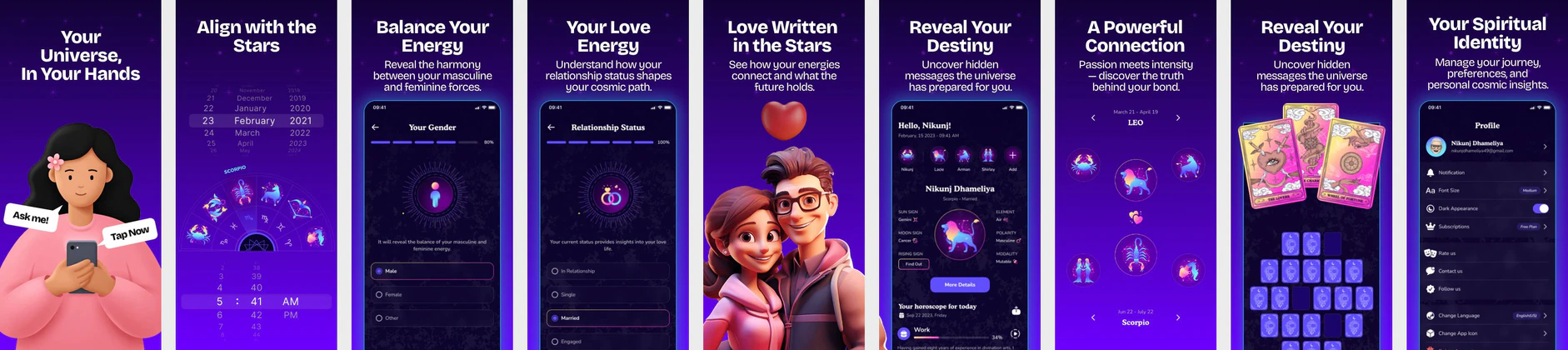
Align your listing with the stars. Highlight compatibility charts, birth-chart visualizers, and daily readings inside a premium, celestial dark theme.
 App Store Screenshot Templates
ASO Guide: Mystical Visual Layouts for Astrology Apps
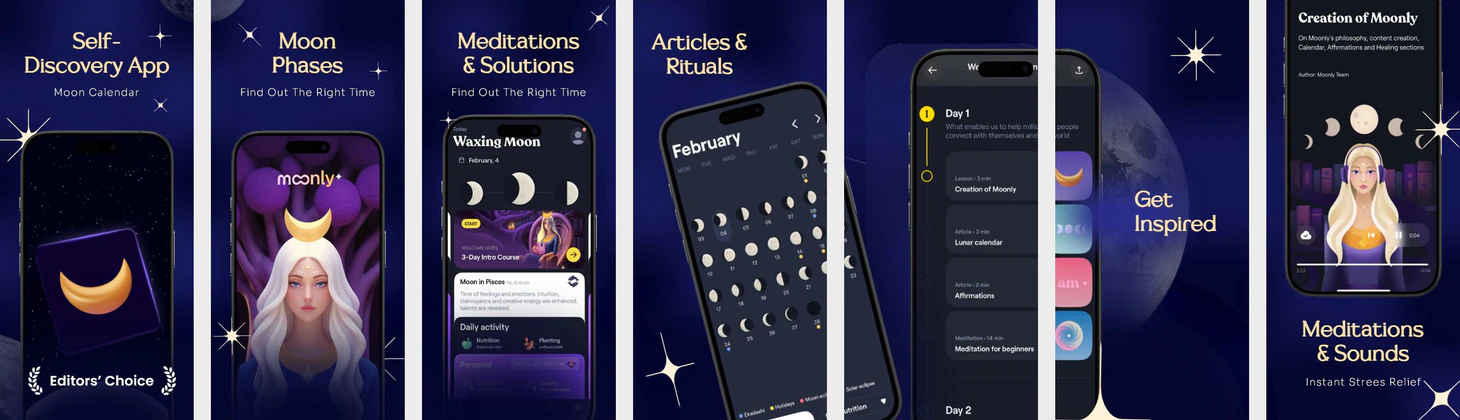
Astrology screenshots should feel atmospheric while staying practical. Start with daily horoscope value, then show compatibility tools, birth chart detail, and personalized guidance flow. Users in this category respond to emotional tone, but installs improve when the app journey is clear. Keep mystical styling balanced with legible text and visible controls.
Creative performance improves when each frame pairs one spiritual benefit with one functional proof point. StoreMaven has reported up to a 33% download lift from optimized screenshot sets, and astrology teams can use this by testing daily insight versus relationship insight openers. Avoid decorative overload that buries interface meaning. Nakxi helps teams maintain signature celestial styling while rapidly exporting consistent iOS and Android variants.
Astrology and tarot apps require a premium, mysterious, spiritual design theme. Use deep purple or midnight black backdrops with golden or neon-violet constellations. Highlight visual tools: zodiac compatibility percentages, birth charts, tarot cards, and daily predictions.
Pair device mockups with elegant, spiritual serif titles: 'Discover Your Zodiac Chart', 'Daily Tarot Readings', or 'Check Love Compatibility'.
Astrology teams often work smoothly in Nakxi by keeping one celestial visual framework and swapping horoscope, compatibility, or chart modules by audience intent.
Frequently Asked Questions
Should astrology apps use gold/purple themes in screenshots?
Yes, gold details and deep violet gradients reflect the cosmos and make listings look highly mystical and professional.
What screenshot captures love compatibility best?
A screen showing two zodiac signs linked together with a compatibility score card (e.g. '89% Matching Stars') is highly engaging.
Should astrology apps focus on horoscopes or compatibility first?
It depends on your primary audience intent, but daily horoscope is often the safest opener for broad appeal. Compatibility can then deepen engagement in later frames. Keep this choice consistent across your listing narrative. Test both sequences if your audience is mixed.
How can astrology screenshots avoid feeling generic?
Use clear feature-specific screens rather than decorative star backgrounds alone. Show exactly how users interact with charts, readings, and guidance tools. Keep tone distinctive but actionable. Practical clarity is what separates premium listings from generic ones.
How do I create astrology app screenshots with Nakxi?
Pick a astrology template from this page, open it in Nakxi's editor, swap in your UI captures, write outcome-led captions, and export App Store and Play Store sizes from one canvas. Most teams ship a first draft in under an hour without a design agency.
What screenshot sizes do astrology apps need in 2026?
Apple requires up to three iPhone display families (including 6.9-inch and 6.5-inch) per Apple's screenshot specifications. Google Play accepts 16:9 or 9:16 phone layouts between 320px and 3840px per side, as documented in Google Play listing best practices. Nakxi exports both store formats from a single design.