Nakxi vs Previewed
Short answer: Previewed is a better fit when you need 3D device scenes, motion-led promo assets, or cinematic presentation. Nakxi is a better fit when you need static screenshot sets, faster cross-store iteration, localization-ready workflows, and a lower-cost tool built around listing conversion rather than animation.
This page is maintained by the Nakxi team and reviewed against public product pages and pricing in May 2026. Because we build one of the products compared here, treat it as a transparent buyer guide rather than third-party editorial coverage.
How was this comparison reviewed?
This guide combines a live review of Nakxi's current workflow with public pricing pages, help docs, and product pages reviewed in May 2026. Because Nakxi is one of the products being compared, this page is intentionally transparent about authorship and tradeoffs rather than pretending to be a neutral third-party review.
- Previewed public plans include a free Lite tier, a one-time Plus option, and Pro at $19/month billed annually.
- Previewed markets 3D exports and video exports as core paid-plan features.
- Previewed also offers App Store-style screenshot and panoramic mockup pages.
- Previewed's public positioning centers much more on presentation and motion than on localization at scale.
Competitor interfaces, pricing, and plan names can change quickly. Treat the facts above as a reviewed snapshot, and verify the latest details before purchase if your workflow depends on a specific feature.
What does Nakxi's current workflow actually look like?
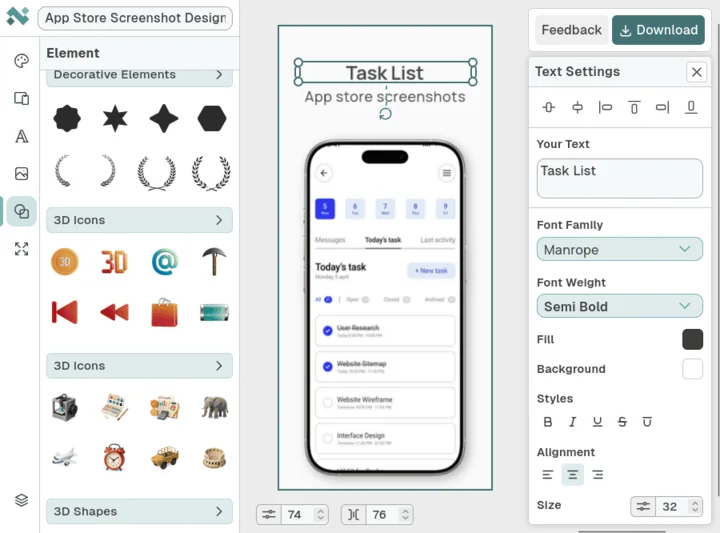
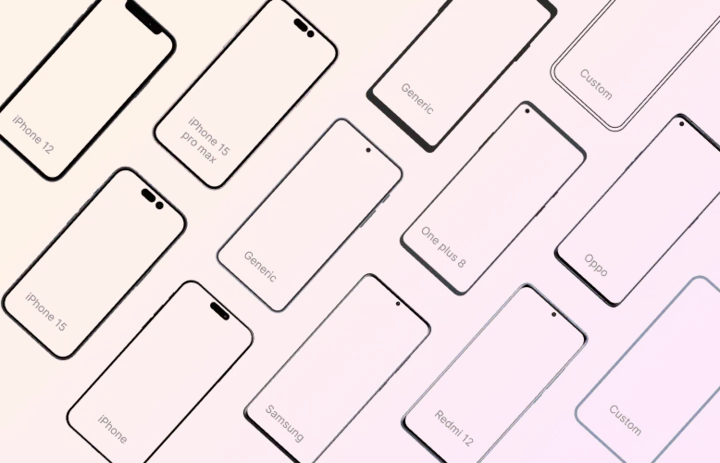
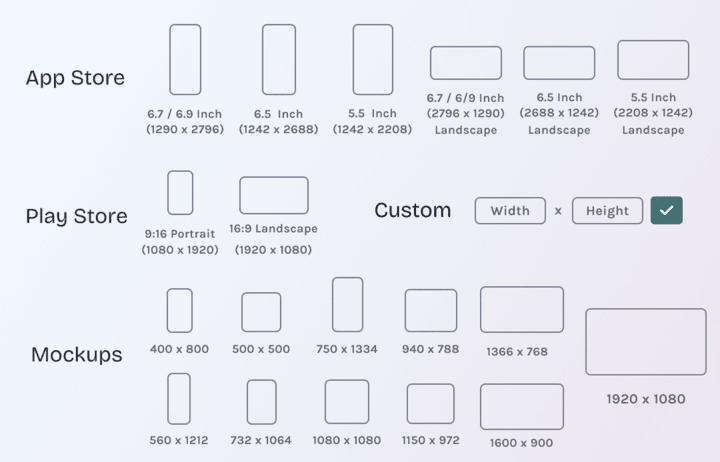
These screenshots are included to ground Nakxi-specific claims in visible product evidence rather than pure positioning copy.
Who should choose Nakxi or Previewed?
Choose Nakxi if:
- Teams building full screenshot sets for App Store and Google Play listings.
- Apps that need repeated copy updates, localization, or broader launch assets from one system.
- ASO workflows where clarity and conversion matter more than motion polish.
- Founders who want one editor for static store creative and supporting promotional visuals.
Choose Previewed if:
- Designers creating 3D renders, animated scenes, and device-led promo assets.
- Campaigns where the hero asset is visual presentation rather than listing iteration.
- Teams that already have screenshots covered and want a separate motion layer for launches or social media.
How do Nakxi and Previewed compare feature by feature?
| Capability | Nakxi | Previewed |
|---|---|---|
| Primary output | Static screenshot systems for App Store and Google Play | 3D renders, motion scenes, and polished device presentation |
| Store workflow | Built around screenshot sequencing and repeated iteration | Can create App Store-style outputs, but static ASO is not the main center of gravity |
| Localization | Better fit for repeated copy and locale changes | Localization is not a visible primary selling point in public plan messaging |
| Pricing | Free plan; Nakxi Creator $19/month or $144/year | Free Lite; Plus $9.99 one-time; Pro $19/month billed annually |
| Best fit | Install-focused listing creatives | Motion-led launches and device-first marketing visuals |
Where is Previewed better than Nakxi?
Previewed is clearly better if your campaign depends on motion. Nakxi does not offer timeline editing, 3D camera scenes, or premium animation exports, so it is not the right choice when the hero asset is a cinematic device render or promo video.
Previewed is also attractive for teams that want a free or one-off entry point before committing to a subscription. Its Lite and Plus tiers make sense for occasional 3D work.
Where does Nakxi still win?
Nakxi wins when the app store listing itself is the core growth surface. Static screenshot sequencing, repeated copy changes, and launch asset coordination are more natural in a workflow built around static store creative rather than presentation-led visuals.
That difference matters for most app teams because listing conversion usually has a tighter relationship to revenue than cinematic promo quality.
Can Previewed create App Store-style screenshots too?
Yes. Previewed should not be dismissed as only a video tool. It does offer App Store-style screenshot and panoramic mockup flows, and that makes it more capable than a narrow label would suggest.
The more honest limitation is focus: static ASO screenshot iteration is still not the product's main selling point. Previewed is strongest when polish, depth, and presentation matter more than volume of static listing work.
How should buyers think about pricing and production effort?
Previewed makes sense when the visual effect itself is worth paying for. The cost is not only the subscription. It is also the time and attention that motion assets require.
Nakxi makes more sense when the team wants fast iteration on store creatives and a lower-cost entry point for screenshot work. If your growth bottleneck is the listing, not the trailer, the static workflow usually deserves the budget first.
What should you check before switching from Previewed?
- Decide whether your most important asset is a store screenshot set or a motion-led promo.
- Check whether you need repeated static updates more often than 3D or video exports.
- Review whether your launch depends more on store conversion or cinematic presentation.
- Choose whether one tool should own screenshot execution or promo presentation.
Which related resources help you evaluate the workflow more deeply?
These supporting pages connect the comparison to pricing, generator pages, and workflow guides so the buying decision is not based on one page alone.
Which other comparison pages should you read next?

FAQ
Is Nakxi a good Previewed alternative?
Yes. Nakxi is a strong Previewed alternative when your team needs a static screenshot workflow for App Store and Google Play rather than a motion-first tool.
Which tool is better for App Store screenshots?
Nakxi is better for App Store screenshots because the workflow is centered on static listing production, sequencing, and repeated iteration.
Can Previewed generate App Store-style screenshot sets too?
Yes. Previewed supports App Store-style screenshot and panoramic mockup flows, but that is still not the product's main center of gravity.
Which tool is better for 3D mockups and video exports?
Previewed is better for 3D renders, video exports, and motion-led device presentation.
How does Previewed pricing compare to Nakxi?
Previewed offers a free Lite plan, a $9.99 one-time Plus option, and a Pro plan at $19 per month billed annually. Nakxi starts lower for teams focused on static screenshot work.
Can teams use Nakxi and Previewed together?
Yes. A common split is Nakxi for the screenshot system and Previewed for motion-led campaign assets.
When should I choose Previewed over Nakxi?
Choose Previewed when the hero asset is a 3D render or animation rather than a static screenshot sequence inside an app store listing.
What should I compare before choosing between Nakxi and Previewed?
Compare the output tied closest to growth, how often you update static screenshots, and whether your launch depends more on motion or store conversion.