Furniture & Home Decor App Store Screenshot Templates
Show shoppers how your app helps them visualize fit and buy home pieces with confidence.
Showcase elegant furniture items, room inspirations, and augmented reality (AR) previews. Use minimalist templates to let product photography stand out.


 App Store Screenshot Templates
✨ App Mockups, Ads & ASO Marketing Graphics

ASO Guide: Elevating Interior Design & Furniture App Visuals
Furniture app screenshots should reduce uncertainty around size, style, and placement. Start with room context or AR preview, then show dimensions, material detail, and checkout or delivery confidence. Home buyers make considered decisions, so your screenshot flow must feel practical and trustworthy. Keep visual composition clean so product and interface details remain readable.
Listings convert better when they answer fit questions early. AppTweak benchmarks suggest stronger engagement when furniture creatives highlight room-scale confidence rather than generic catalog views. Include one frame that clearly demonstrates in-space visualization if available. Nakxi helps teams build reusable interiors-focused layouts and adapt them for category-specific campaigns such as sofas, storage, or decor without rebuilding every export.
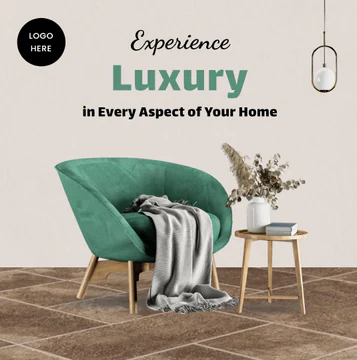
Home decor and furniture apps succeed on style and scale. Showcase elegant layout grids, interior design inspirations, and AR camera views placing virtual sofas in real rooms. Let the photography lead by choosing thin, borderless phone mockups.
Apply earth tones or clean slate backdrops to keep the listing feeling interior-designed. Use bold captions like 'Preview Furniture in AR' or 'Shop Modern Home Decor'.
Furniture teams typically use Nakxi effectively by maintaining one room-context master layout and swapping product category modules for each merchandising campaign.
Frequently Asked Questions
How do I show augmented reality (AR) in app store screenshots?
Feature a phone mockup displaying a camera view of a living room, with a 3D sofa overlaid inside it, accompanied by a label like 'Try Before You Buy'.
What are important screenshots to include for furniture shopping?
A gorgeous design feed page, a functional AR preview, product customization (e.g. choosing wood types), and a simple delivery scheduling page.
Do AR screenshots improve furniture app installs?
They often help because they directly address fit uncertainty, one of the biggest barriers in furniture buying. Keep AR visuals practical and realistic rather than overly stylized. Show placement and interaction clearly. This usually improves confidence-driven conversions.
How many screenshots should furniture apps publish?
Five to seven screenshots generally provide enough depth for inspiration, fit proof, and transaction confidence. Fewer frames may miss critical trust signals. Too many can dilute story clarity. Prioritize sequence quality before quantity.
How do I create furniture app screenshots with Nakxi?
Pick a furniture template from this page, open it in Nakxi's editor, swap in your UI captures, write outcome-led captions, and export App Store and Play Store sizes from one canvas. Most teams ship a first draft in under an hour without a design agency.
What screenshot sizes do furniture apps need in 2026?
Apple requires up to three iPhone display families (including 6.9-inch and 6.5-inch) per Apple's screenshot specifications. Google Play accepts 16:9 or 9:16 phone layouts between 320px and 3840px per side, as documented in Google Play listing best practices. Nakxi exports both store formats from a single design.