ASO Visualizer, Review Analyzer & Store Publish
By Nakxi team
Published
Your listing is only as strong as its weakest slide
Most teams polish the first screenshot and ship the rest. Nakxi’s ASO Visualizer and Review Analyzer close that gap — scoring every slide against real conversion criteria, benchmarking you against rivals, and surfacing what users actually complain about in reviews.
ASO Visualizer — screenshot analysis that reads like a creative director
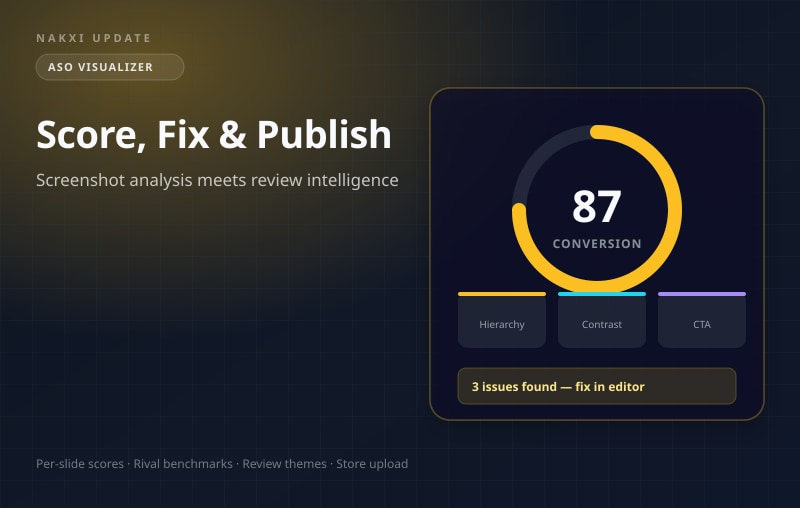
Open any store listing project and run the ASO Visualizer from the project dashboard. Nakxi exports your slides, analyzes each one, and returns:
- An overall conversion score with a plain-language verdict (Strong, Competitive, Needs work, At risk)
- Dimension breakdowns — visual hierarchy, CTA clarity, contrast, readability, composition, and safe zones
- Issue cards tagged by source: Structure (from your design layers), Visual (from pixel analysis), or AI (from vision review)
- Rival benchmarks — see how your slide medians compare to top apps in your category
Free accounts get three screenshot scores to try the workflow. Creator and Growth plans unlock full analysis runs with AI credits.
Review Analyzer — what users say, translated into listing actions
Reviews tell you what’s broken before your analytics do. The Review Analyzer pulls recent App Store or Play Store reviews for your app and uses AI to:
- Cluster feedback into themes (bugs, pricing, onboarding, missing features, praise)
- Surface critical and high-severity issues with direct quotes from real reviews
- Suggest listing and screenshot fixes ranked by effort (ASAP, this week, this month)
- Track sentiment trends across your review sample
Free users get a one-time AI preview (up to 80 recent reviews, no credits). Creator includes one full run; Growth adds refresh so you can re-run as new reviews arrive.
Publish to the store without leaving Nakxi
Once your screenshots score well and your metadata is ready, use Store Publish to upload directly:
- Connect your Apple App Store Connect or Google Play Console credentials
- Select the target app, version, locale, and screenshot set
- Export from Nakxi and upload in one guided flow
No more downloading ZIPs, renaming files, and manually dragging assets into App Store Connect. Creator and Growth plans include store publish for both platforms.
Where to find it: Open any App Store or Play Store listing project → ASO Visualizer and Review Analyzer panels on the project dashboard → Publish to Store from the project actions menu.