Flyer Templates
Promotional flyer layouts for app launches, workshops, retail promos, and community events.
Flyers still work for hyperlocal and event-driven app growth. These templates balance headline, details, and QR or store links in scannable layouts.

 Brown Colored Marketing Webinar Flyer Template Book Publishing Design Template
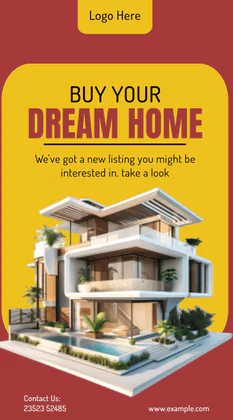 Build Your Dream Home – Brochure Template
 Skincare Treatment & Product Template
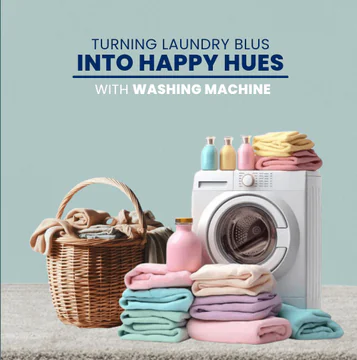 Light Bluish Gray Washing machine marketing template
 Leadership Business Webinar Post – Template Design
 Website Consulting Marketing Template
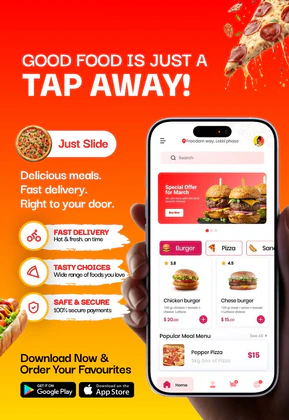 Food Delivery App Ad Template Design
 Online Pharmacy & Medicine Delivery App Ad Template
 Healthcare App Promo – Doctor Booking & Mobile UI Mockup
 Kids Learning App UI Kit | Preschool Education Mobile Mockup
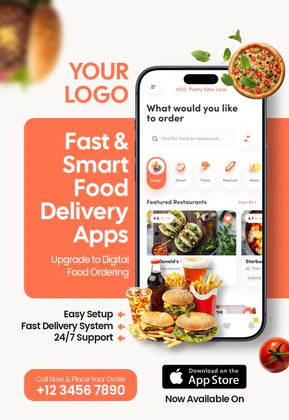 Fast and Smart Food Delivery App Template | Mobile UI Marketing Flyer
 Smart Branding Designs Poster Template | Editable Agency Marketing Flyer
 New Week New Goals Motivational Poster Template | Editable Career & Education Flyer
 Real Taste Authentic Food Marketing Poster Template | Editable Restaurant Flyer
Flyer Design Tips for App Marketers
Put the download QR or short URL in the bottom third where hands naturally rest when holding paper. Keep contrast high for outdoor postings.
For digital flyers, export square and vertical variants from the same master to reuse on Instagram and email.
Frequently Asked Questions
What resolution should I export for print flyers?
Export at 300 DPI at final print dimensions when possible, or use vector-friendly PDF workflows from high-resolution PNG sources.
Can I add bleed margins?
Extend background colors to the canvas edge in Nakxi before export; your print shop can add trim marks externally.
How do I edit flyer templates in Nakxi?
Pick any template in this collection, click to open it, swap text and images, apply your brand colors, then export PNG or JPG at the size you need for web, social, or print.
Can I resize flyer designs for other channels?
Yes. Nakxi Smart Resize lets you adapt one layout into story, square, and landscape formats without rebuilding the design from scratch.