Nakxi vs AppScreens
Short answer: AppScreens is a better fit if your team wants responsive templates, paid-plan localization, and direct publishing to App Store Connect and Google Play. Nakxi is a better fit if your screenshots need more custom composition, broader launch assets, and a design workflow that feels closer to a visual editor than a publishing system.
This page is maintained by the Nakxi team and reviewed against public product pages, pricing, and help docs in May 2026. Because we build one of the products compared here, treat it as a transparent buyer guide rather than third-party editorial coverage.
How was this comparison reviewed?
This guide combines a live review of Nakxi's current workflow with public pricing pages, help docs, and product pages reviewed in May 2026. Because Nakxi is one of the products being compared, this page is intentionally transparent about authorship and tradeoffs rather than pretending to be a neutral third-party review.
- AppScreens public pricing and help docs show multi-layer editing on paid plans.
- AppScreens markets 80+ language support on higher tiers.
- Paid AppScreens plans support direct upload to App Store Connect and Google Play.
- Public pricing shows AppScreens paid plans start above Nakxi's paid starting tier.
Competitor interfaces, pricing, and plan names can change quickly. Treat the facts above as a reviewed snapshot, and verify the latest details before purchase if your workflow depends on a specific feature.
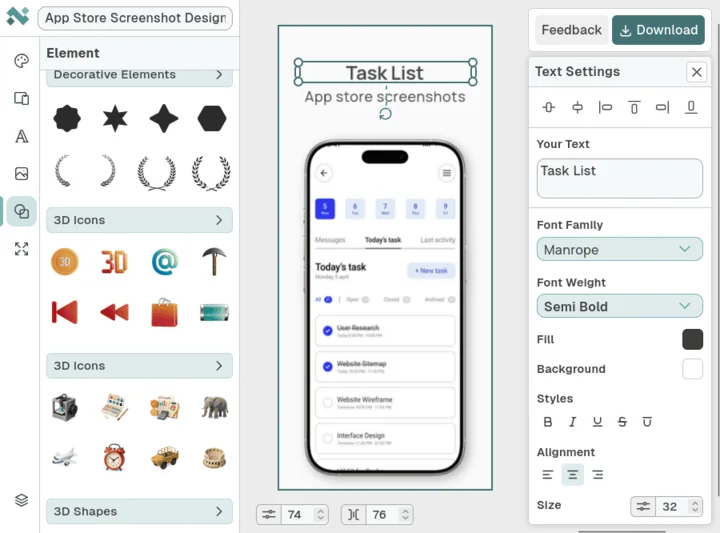
What does Nakxi's current workflow actually look like?
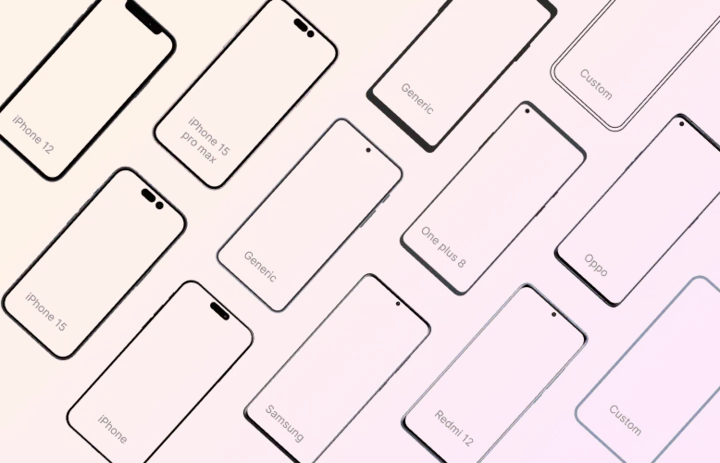
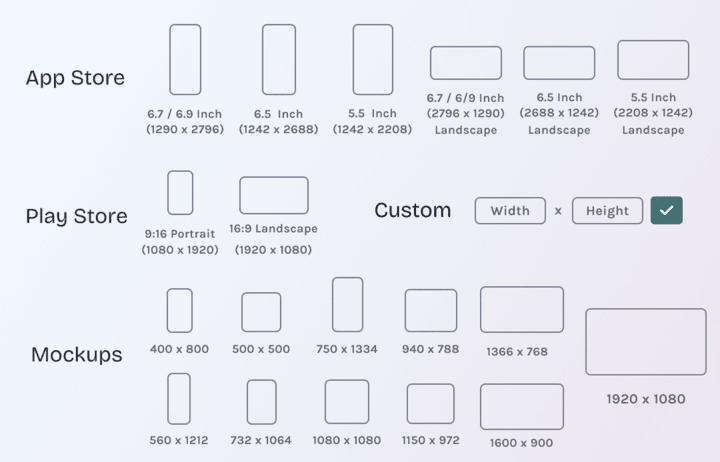
These screenshots are included to ground Nakxi-specific claims in visible product evidence rather than pure positioning copy.
Who should choose Nakxi or AppScreens?
Choose Nakxi if:
- Teams that want more freedom over captions, layout rhythm, and brand-specific composition.
- Apps shipping screenshots plus banners, launch graphics, or other supporting visuals from the same project.
- Founders and marketers who prefer a design-first workflow over a publishing-first workflow.
- Smaller teams that want a lower paid starting point without giving up creative flexibility.
Choose AppScreens if:
- Teams that want a more automated path from screenshot creation to store submission.
- App teams that care more about responsive template speed than custom visual storytelling.
- Non-designers who prefer stronger guardrails and a more structured workflow.
How do Nakxi and AppScreens compare feature by feature?
| Capability | Nakxi | AppScreens |
|---|---|---|
| Design workflow | Canvas-led editing with more room for custom composition | Responsive template workflow with more structure and more publishing logic |
| Localization | Better fit when localization happens alongside design iteration | Strong for scale on paid plans, especially when speed matters more than custom layout work |
| ASO intelligence | Competitor insights, keyword explorer, screenshot scoring, AI listing | Not included — screenshots and publishing only |
| Store publishing | Export-first workflow focused on creative quality | Direct App Store Connect and Google Play upload on paid plans |
| Pricing | Free plan; Nakxi Creator $19/month or $144/year | Free plan; public pricing lists Pro from $25/month and Scale from $50/month |
| Best fit | Brand-conscious ASO and launch creative work | Faster screenshot production and store-ready automation |
Where is AppScreens better than Nakxi?
AppScreens is better when automation is the main bottleneck. The most obvious example is direct publishing: paid plans let teams move screenshots straight into App Store Connect and Google Play without a separate manual upload step.
It is also a better fit for teams without dedicated designers. The more structured, responsive workflow can be a genuine advantage when speed and consistency matter more than bespoke art direction.
Where does Nakxi still win?
Nakxi wins when the screenshots need to feel like your brand rather than like the template you started from. The visual editor leaves more room for pacing, hierarchy, and supporting assets that sit around the listing.
That matters most for launches where the store screenshots, promo graphics, and other marketing surfaces need to tell one coordinated story instead of being generated as isolated outputs.
How different are the editing models in practice?
AppScreens should not be described as rigid in the old sense. Public docs confirm multi-layer editing on paid plans. The difference is that its center of gravity is still a settings-heavy responsive engine rather than an open canvas.
Nakxi feels closer to a design tool. AppScreens feels closer to a screenshot production system. Both can work well, but they encourage different habits and suit different teams.
How should buyers think about pricing and workflow fit?
Nakxi is easier to justify when the goal is better creative work at a lower entry price. That matters for indie developers and small teams that want more design headroom without moving into higher-cost automation tiers.
AppScreens is easier to justify when direct store upload and structured screenshot production save more time than custom design work would create value.
What should you check before switching from AppScreens?
- Check whether direct store upload would save meaningful time for your team.
- Review whether your screenshots need template speed or stronger visual differentiation.
- Decide whether localization is mostly a scale problem or a design problem.
- Compare whether your launch workflow also needs banners, promos, or non-store assets.
Which related resources help you evaluate the workflow more deeply?
These supporting pages connect the comparison to pricing, generator pages, and workflow guides so the buying decision is not based on one page alone.
Which other comparison pages should you read next?

FAQ
Is Nakxi a good AppScreens alternative?
Yes. Nakxi is a strong AppScreens alternative when your team wants more creative control and a broader visual workflow around the store listing.
Does AppScreens support multi-layer editing now?
Yes. AppScreens public docs show multi-layer editing on paid plans, so the better comparison is structured responsive production versus a more open design canvas.
Does AppScreens support direct store uploads?
Yes. One of AppScreens' clearest strengths is direct upload to App Store Connect and Google Play on paid plans.
Which tool is better for localization?
AppScreens is strong for localization at scale on paid plans. Nakxi is stronger when localization needs to stay tightly tied to design changes and broader launch assets.
Which tool is better for creative control?
Nakxi is better for creative control because the workflow is more canvas-led and less dependent on a template-production model.
How does pricing compare between Nakxi and AppScreens?
Nakxi starts at $19/month or $144/year with design, AI copy, competitor insights, and ASO scoring — often for less than AppScreens Pro alone.
When is AppScreens the better choice?
AppScreens is the better choice when direct store upload, structured template automation, and localization scale matter more than open-ended design control.
What should I compare before switching from AppScreens?
Compare how much custom composition you need, whether direct publishing is a major time-saver, and whether your screenshot tool also needs to support broader campaign creative.