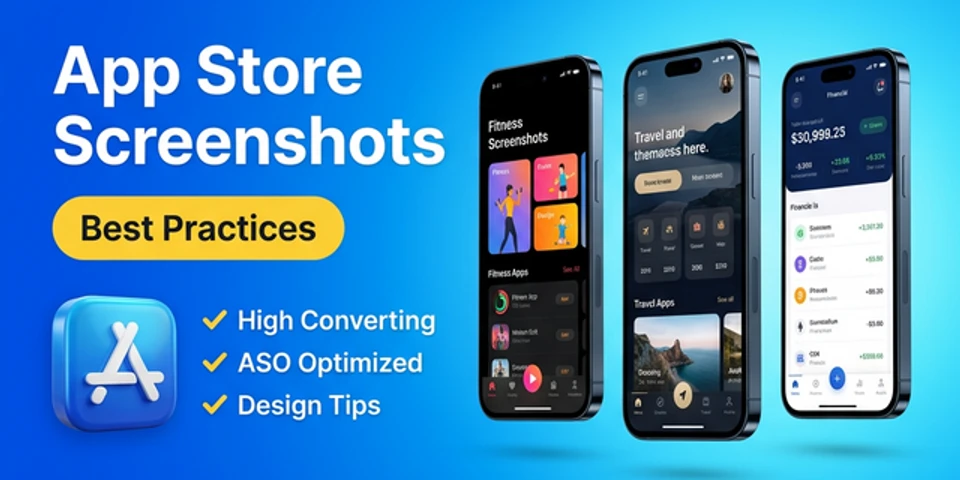
App Store Screenshots Best Practices – High Converting ASO
App screenshots are one of the most powerful elements in an app listing. When users visit an app page, they often decide within seconds whether they want to download it. That decision is heavily influenced by visuals. Following app store screenshots best practices can significantly improve conversion rates and help your app stand out in a competitive marketplace. In this guide, we will explore the best app store screenshots strategies, effective design techniques, and proven ASO screenshots best practices that help create high-converting visuals.
Why App Store Screenshots Matter
App screenshots play a critical role in App Store Optimization (ASO) because they visually communicate the value of your app. High-quality screenshots help users quickly understand the app’s features and benefits.
Benefits of following app store screenshot optimization techniques:
- Improve app conversion rates
- Increase user trust
- Highlight core features visually
- Support ASO performance
- Encourage more downloads
Apps with high converting app store screenshots often outperform competitors even if their rankings are similar.
Key App Store Screenshots Best Practices
To design effective screenshots, developers must follow certain app screenshot design best practices. These strategies ensure your visuals communicate value clearly.
1. Focus on User Benefits
One of the most important app store screenshots best practices is highlighting benefits rather than just features.
Example:
| Weak Screenshot Text | High Converting Screenshot Text |
|---|---|
| Advanced Dashboard | Track Your Progress Instantly |
| Multi Task System | Manage Tasks Faster |
| Data Analytics Tool | Understand Your Data Easily |
This approach creates high converting app store screenshots that focus on what users gain from the app.
2. Use Clear Visual Hierarchy
Good mobile app screenshot design should guide the user’s eye naturally.
Best practices include:
- Large headlines
- Clean layouts
- Clear UI elements
- Minimal clutter
A strong visual hierarchy ensures that your best app store screenshots communicate the message within seconds.
3. Maintain Consistent Branding
Consistency is essential in app screenshot design best practices. Your screenshots should match your app’s brand identity.
Important branding elements include:
- Color palette
- Typography style
- Icon design
- Layout patterns
Consistent branding builds trust and improves app store screenshot optimization.
4. Use Device Mockups
Modern mobile app screenshot design often includes device mockups to create realistic presentations.
Benefits of using device frames:
- Makes UI easier to understand
- Creates premium appearance
- Improves visual storytelling
- Enhances ASO screenshots quality
Screenshot Structure for High Conversions
Successful apps usually follow a clear screenshot flow to create high converting app store screenshots.
| Screenshot Position | Purpose |
|---|---|
| Screenshot 1 | Main value proposition |
| Screenshot 2 | Core feature |
| Screenshot 3 | Key benefit |
| Screenshot 4 | Social proof |
| Screenshot 5 | Additional features |
| Screenshot 6 | Call to action |
This structure follows proven ASO screenshots best practices used by top apps.
App Store Screenshot Optimization Tips
Effective app store screenshot optimization requires both design and marketing strategies.
Keep Text Short
Use short and powerful messages.
Example:
- “Track Expenses Easily”
- “Plan Tasks Faster”
Short text improves readability and supports high converting app store screenshots.
Use High Quality Visuals
Low-quality visuals reduce credibility. Always use high resolution screenshots when following app screenshot design best practices.
Recommended size examples:
| Device | Screenshot Size |
|---|---|
| iPhone | 1290 × 2796 |
| Android | 1080 × 1920 |
| Tablet | 1600 × 2560 |
High-quality images improve mobile app screenshot design effectiveness.
Follow ASO Screenshots Best Practices
Screenshots should align with your overall ASO strategy.
Important ASO screenshots best practices include:
- Clear messaging
- Visual storytelling
- Highlighting unique features
- Maintaining consistent layouts
Well-optimized ASO screenshots can significantly improve conversion rates.
Common Mistakes in App Store Screenshots
Avoiding mistakes is just as important as following app store screenshots best practices.
| Mistake | Result |
|---|---|
| Too much text | Hard to read |
| Low-quality UI images | Unprofessional appearance |
| Inconsistent design | Weak branding |
| No clear message | Poor conversion |
Avoiding these mistakes helps create the best app store screenshots.
Tools for Mobile App Screenshot Design
Nakxi helps developers create professional screenshots quickly.
Common features include:
- Screenshot templates
- Device mockups
- Automatic resizing
- Drag-and-drop editors
Using an app screenshot generator simplifies mobile app screenshot design and helps implement app store screenshot optimization strategies efficiently.
Final Thoughts
Following app store screenshots best practices is essential for improving app downloads. Well-designed screenshots communicate your app’s value instantly and help convert store visitors into users.
By applying strong app screenshot design best practices, maintaining consistent branding, and following proven ASO screenshots best practices, developers can create high converting app store screenshots that significantly boost performance.
Remember, screenshots are not just visuals — they are powerful marketing assets that can determine the success of your app listing.
Create Professional App Store Screenshots with Nakxi today. Design modern iOS and Android screenshots using Nakxi, an advanced mobile app screenshot generator built for developers, marketers, and ASO professionals.
FAQs
What are app store screenshots best practices?
App store screenshots best practices include highlighting user benefits, maintaining clear layouts, using device mockups, and keeping messaging concise to improve conversions.
What tool can I use to create professional App Store screenshots?
You can use an app screenshot generator like Nakxi to create professional App Store screenshots using templates, device mockups, and easy drag-and-drop editing.
Why are high converting app store screenshots important?
High converting app store screenshots help users understand your app quickly and increase download rates by presenting features clearly.
How many screenshots should an app listing have?
Most apps use 5–8 screenshots to highlight key features and benefits while following ASO screenshots best practices.
What makes the best app store screenshots?
The best app store screenshots combine clear messaging, consistent branding, high-quality visuals, and effective storytelling.
How does app store screenshot optimization help ASO?
App store screenshot optimization improves conversion rates, which can indirectly improve app visibility and downloads within the store.