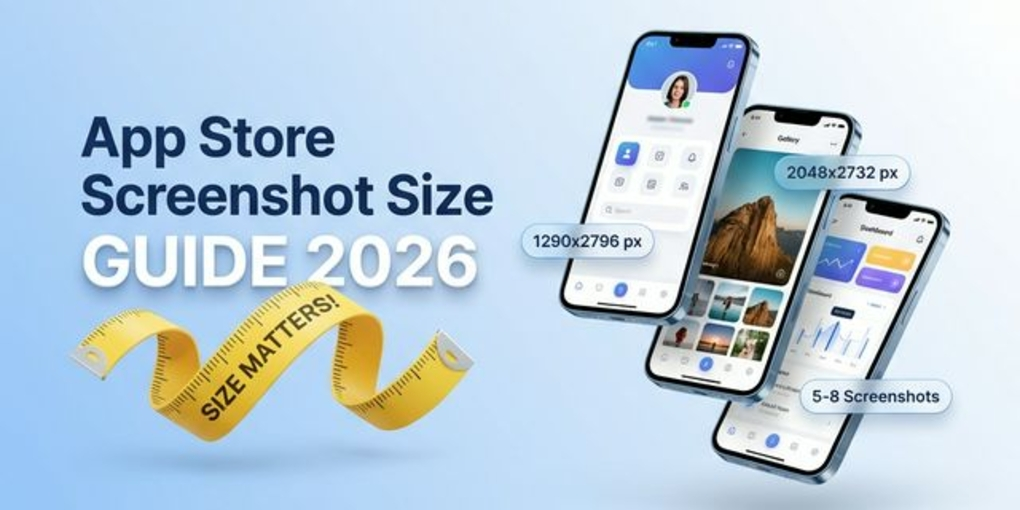
App Store Screenshot Sizes 2026 – Complete iOS Guide
App Store screenshots are one of the most important conversion factors for any iOS app. Even if your app ranks well, poor screenshots can reduce installs.
This guide explains App Store screenshot sizes, device requirements, best practices, and FAQs — all optimized for 2026 standards.
What Are App Store Screenshots?
App Store screenshots are the preview images users see before downloading an app on the Apple App Store. They help users quickly understand:
- What your app does
- Key features
- UI experience
- Benefits
Good screenshots can significantly improve conversion rates.
Official App Store Screenshot Sizes (2026)
Below are the most commonly used screenshot sizes for iOS apps.
iPhone Screenshot Sizes
| Device Type | Resolution (Pixels) | Orientation |
|---|---|---|
| iPhone 6.9” Display | 1290 × 2796 | Portrait |
| iPhone 6.7” Display | 1290 × 2796 | Portrait |
| iPhone 6.5” Display | 1242 × 2688 | Portrait |
| iPhone 5.5” Display | 1242 × 2208 | Portrait |
Tip: Apple allows uploading for only a few device sizes — smaller ones are auto-scaled.
iPad Screenshot Sizes
| Device Type | Resolution (Pixels) | Orientation |
|---|---|---|
| iPad Pro 12.9” | 2048 × 2732 | Portrait |
| iPad Pro 11” | 1668 × 2388 | Portrait |
| iPad Air | 1640 × 2360 | Portrait |
Screenshot File Requirements
| Requirement | Details |
|---|---|
| Format | PNG or JPEG |
| Color Space | RGB |
| Max Screenshots | Up to 10 |
| Orientation | Portrait or Landscape |
| Text | Allowed (recommended) |
How Many App Store Screenshots Should You Use?
Apple allows up to 10 screenshots, but best practice is:
| Strategy | Recommendation |
|---|---|
| Minimum | 5 screenshots |
| Ideal | 6–8 screenshots |
| Max usage | 10 (if each tells a story) |
Your first 3 screenshots are the most important because users see them immediately.
App Store Screenshot Design Best Practices
1. Focus on Benefits, Not Features
Instead of saying: “Advanced Dashboard”
Say: “Track your tasks faster”
2. Add Short Text Headlines
Each screenshot should explain ONE idea. Example structure:
- Problem
- Solution
- Result
3. Use Consistent Branding
- Same color palette
- Same font style
- Clean layout
4. Highlight Real UI
Avoid over-designing simple screens. Users want authenticity.
5. Use Device Frames (Recommended)
Adding iPhone frames makes screenshots look premium and increases trust.
Common App Store Screenshot Mistakes
| Mistake | Why It Hurts SEO/Conversion |
|---|---|
| Too much text | Users don’t read |
| Random colors | Looks unprofessional |
| No storytelling | Low conversion |
| Small UI elements | Hard to understand |
| Generic stock images | Low trust |
Screenshot Optimization Strategy
Best performing flow:
- Hook (Main benefit)
- Key feature
- Social proof / value
- Secondary feature
- Call to action
This structure increases install intent.
Example Screenshot Flow
| Screenshot Order | Purpose |
|---|---|
| 1 | Main Value Proposition |
| 2 | Core Feature |
| 3 | Problem Solution |
| 4 | User Benefit |
| 5 | Social Proof |
| 6 | Call to Action |
FAQs — App Store Screenshot Guide 2026
What is the best App Store screenshot size?
The most commonly used size in 2026 is 1290 × 2796 px for modern iPhones.
How many screenshots should I upload?
Ideally 6–8 screenshots for better storytelling and conversion.
Can I add text on App Store screenshots?
Yes. Short, clear text headlines are recommended for better conversion.
Should I use portrait or landscape screenshots?
Portrait works best for most apps because it occupies more screen space.
Do screenshots affect App Store ranking?
Indirectly yes — better screenshots improve conversion rate, which helps ASO performance.
Final Thoughts
App Store screenshots are not just images — they are your main sales pitch inside the App Store.
If you want more installs:
- Use correct sizes
- Follow a storytelling layout
- Keep design consistent
- Highlight benefits clearly
Optimized screenshots can dramatically increase app downloads without changing your ranking position.
Design App Store screenshots that actually convert — start creating with Nakxi today.